
Motionet™
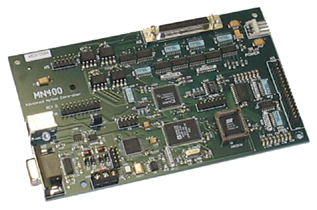
MN400
Multi-Axis Contouring Motion Controller
Motionet™
MN400
Multi-Axis Contouring Motion Controller
| MOTION CAPABILITIES:
|
|
| FEATURES:
|
SPECIFICATIONS:
| Power Source | +5VDC ±5% |
| Current requirements | > 400mA |
| Step signals | 4 opto-isolated open collector |
| Direction signals | 4 opto-isolated open collector |
| Limit switch input signals | 8 TTL compatible active low |
| Safety shield interrupt input signal | 1 TTL compatible active low |
| Auxiliary input signals | 8 TTL compatible active low |
| Auxiliary output signals | 8 opto-isolated open collector |
| Jog inputs | 8 TTL compatible active low |
| Threading encoder inputs | 3 TTL compatible |
| Maximum step rate | 150,000 steps per second |
| Working temperature range | 32° F ~ 158° F (0° C ~ 70° C) |
|

|
|
|
|

|
|
|


General: All MN400 parameters are 1 letter and are case insensitive. & indicates long integer. % indicates short integer.
Command Format: Command |
data | data | data | data | data | data
There should not be any spaces and the data is delimited using a comma.
e.g. m10000,20000,30000,-40000
| Instep Function | MN400 Command | Function |
| Arc | A centerx&, centery&, xdest&, ydest&, dir% | Moves tool along the path of an arc |
| SetBacklash | B m1lash%, m2lash%, m3lash%, m4lash% | Sets the amount of backlash for each axis in steps |
| Control | C port%, state% | Allows setting or resetting of the output ports |
| SetBacklashDir | D m1lashdir%, m2lashdir%, m3lashdir%, m4lashdir% | Sets the initial state of the backlash direction all parameters are 1 or -1. |
| ReadCount | E m1&, m2&, m3&, m4& | Returns the total number of steps moved for each motor |
| Profile | F startspeed&, endspeed&, Accelrate& | Sets the ramping profile. Ramping is used during linear moves and jogging. |
| JogTapSteps | G res0&, res1&, res2&, res3&, step_per_inch& | Sets the number of steps to dispense upon jog button tap |
| Feedhold | H mode% (1 =shield mode, 0 = Feed hold) | Allows selection of shield interrupt mode or feedhold mode |
| SetMode | I mode% (0 - absolute (default), 1 - incremental) | Allows you to select absolute or relative mode |
| Jogger | J mode%0 ( 1 = jog mode, 0 = run mode) | Places the controller in jog mode or run mode |
| LoadCount | L m1&, m2&, m3&, m4& | Allows modification of the absolute count kept in memory . |
| Mover | M m1&, m2&, m3&, m4& | Performs a vector move. |
| ReadCount | N | Returns number of steps not taken during previous move command. |
| SetCPlane | P xmotor%, ymotor% (0 - M1, 1 - M2, 2 - M3, 3 - M4) | Selects the two motors to be used for circular interpolation. |
| Quit | Q | Abort move that is in progress. |
| Read Program | R | Read the program stored in memory. |
| Status | S | Reports the status of the limit and auxiliary inputs. |
| Threader | T m1&, m2&, m3&, m4&, pulses&, offset% | Allows linear moves to be interpolated with external pulses. |
| Run Program | U | Runs a program stored in serial EEPROM. |
| SetSpeed | V startspeed& | Sets velocity for linear & arc moves or sets external synchronization. |
| Multiplex | X multiplex% | Sets the resolution for multiplexing linear moves. |
| Program | Z | Enables writing of progrma to serial EEPROM. Terminate by sending EOF command (^D). |
| DriverInfo | ? rev% | Returns the current software version number. |
| Poll Devices | * | Request response from all devices. |
| Set Baud Rate | # rate% | Sets the baud rate to the selected value (0 to 3 for 9600, 19200, 38400, 57600). |
Debugging Functions
| Instep Function | MN400 Command | Function |
| Get Command Cnt | $ (Address - 0x2000) | Request the number of commands left to process in the DSP buffer. |
| Get Buffer Size | % (Address - 0x2002) | Request the amount of space left in the DSP buffer |
| Get Buffer Address | ! (Address - 0x2004) | Request the current buffer address in the DSP |
| Num. Sent | ^ (Address - 0x002e) | Request the current value of the number of commands sent. |
| Num Processed | & (Address - 0x0030) | Request the current value of the number of commands processed. |