NC Configuration dialog box
Use the NC Configuration dialog box to customize the settings in an NC Configuration file (*.ncconfig) for Code Expert. The Configurations drop-down contains the available configurations. The drop-down in the upper-right corner lets you create, rename, copy, and delete configurations.
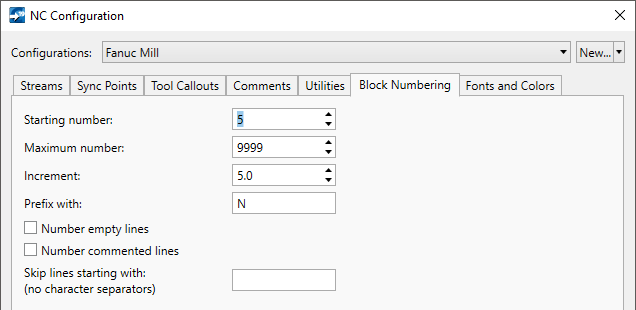
- Streams tab: NC Configuration: file extensions, number of streams, start and end characters
- Sync Points tab: NC Configuration: characters, regular expression
- Tool Callouts tab: NC Configuration: characters, regular expression
- Comments tab: NC Configuration: start and end characters
- Utilities tab: NC Configuration: address characters for Find Extents
- Block Numbering tab: NC Configuration: starting number, maximum number, increment, prefix, empty line and comment line numbering
- Fonts and Colors: NC Configuration: fonts and colors for the selected NC configuration


