Gear Add-In
Use this Add-In to create a single tooth or all teeth of an involute spur or internal gear. It also computes the roll measurement for checking the gear.
The current values are saved in the parameter file referenced in the dialog box so that they persist between Mastercam sessions. Change the name to recall parameters from a different gear.
- Click Preview to toggle the preview pane on and off.
- Select Auto refresh to update the preview in real time as you change parameters.
After the gear is created, Mastercam displays the following message:
Maximum circular tooth thickness deviation = x.xxxxxx (depends on number of arcs in involute)
This text is not an error message. The circular tooth thickness deviation is the maximum distance between the theoretical involute and its approximation by arcs. The deviation can be decreased by increasing the number of pairs of arcs in the involute.
 Gear
tooth elements
Gear
tooth elements
Top land
An arc at the top of a spur gear or the bottom of an internal gear.
Bottom land
An arc at the bottom of a spur gear or the top or an internal gear.
Involute curve
An involute is the shape the end of a string traces as it is unwound from a cylinder.
Root fillet
An arc that is tangent to the bottom land and the involute curve.
Top fillet
An arc that is tangent to the top land and the involute curve.
Flank
A straight line connecting the root fillet and the involute curve.
Parameters
Parameter file name
The values for the current gear session are saved in this file. Change the name to create different files so you can recall gears from earlier sessions.
Type of gear
Selects a spur (external) or internal gear. Changes the definition of circular tooth thickness. Causes the outside diameter, root diameter, fillet radius, roll diameter and roll measurement to be recomputed.
Number of teeth
The number of teeth in the gear. Causes the outside diameter, root diameter, fillet radius, roll diameter and roll measurement to be recomputed.
Roll measurement method
The roll measurement method may be calculated on the outside or inside of the gear. Normally, the roll measurement method and gear type are the same, but they may be different if the gear is produced with an electrode. The roll diameter and roll measurement are automatically recalculated when this parameter is changed.
Root fillet radius
This is the radius of the fillet connecting the bottom land to the involute or flank. If Specified is chosen, enter the radius in the adjoining field. If Full is selected, the root fillet will have the largest possible radius. It will be tangent to the involute or flank, the bottom land, and the involute or flank of the adjacent gear.
Number of pairs of arcs in involute
A larger number may be selected to reduce the error between the theoretical involute curve and its approximation.
Pitch diameter
The diameter at which the pressure angle and tooth thickness are measured. Causes the diametral pitch, outside diameter, root diameter, root fillet radius, roll radius and roll measurement to be recomputed.
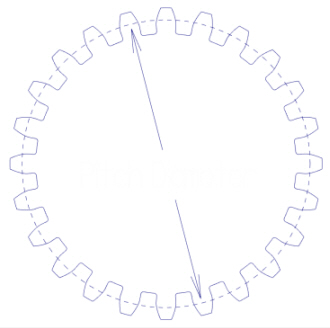
Diametral pitch
This is another way of entering the pitch diameter. The diametral pitch is equal to the number of teeth divided by the pitch diameter.
Outside diameter
The diameter of the top land.
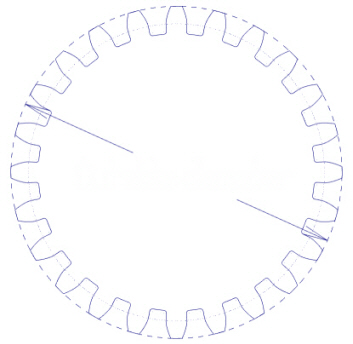
Root diameter
The diameter of the bottom land.
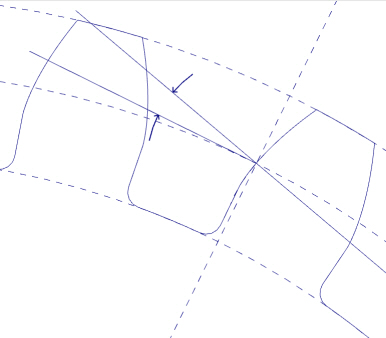
Pressure angle
The angle between a tooth profile and a radial line at the pitch circle. Causes the roll measurement to be recomputed.
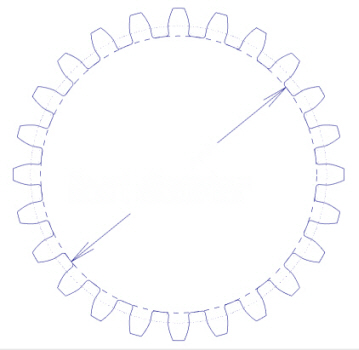
Roll Diameter
Specifies the diameter of the roller's arc.
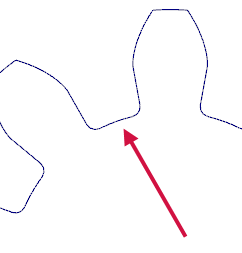
Circular tooth thickness
The thickness of a tooth measured along the pitch diameter. Note that different parts of the gear are measured for internal and external gears. Causes the roll measurement to be recomputed.
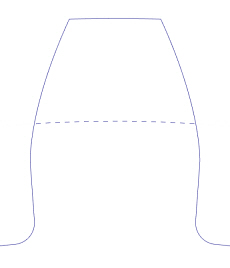
Roll measurement
For an external gear, this is the distance between the outside of the measuring pins. For an internal gear, this is the distance between the inside of the measuring pins. It causes the tooth thickness to be recomputed.
Flank angle
The flank angle is defined so that it is zero if the flank is tangent to the involute. Normally, the flank angle is left at zero.
Tip fillet radius
Radius of the fillet connecting the top land to the involute.
Preview
Toggles the preview pane which displays the gear that is being built.
Auto refresh
Select this option to have Mastercam update the preview pane when you enter new values or dimensions. If you deselect this option, a Refresh button appears which lets you refresh the preview pane when you click it.


