Move panel
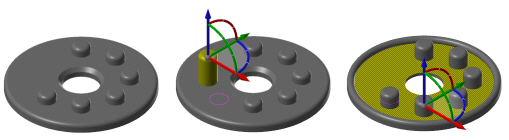
Use Move to move (and sometimes resize), rotate, or copy solid features or faces. The results you get depend on how you drag the control arrows on the dynamic gnomon. For example, in the second picture below, a boss was moved in the X and Y, as well as extended upward. In the third picture, the part's top face was dragged downward.