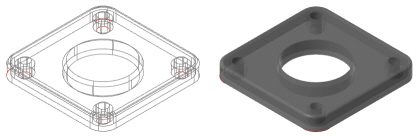
Shell panel
The Shell function hollows solid bodies by removing material and optionally leaving selected faces open. The remaining faces are thickened by the specified amount. You can choose to shell in one of two directions or in both directions.
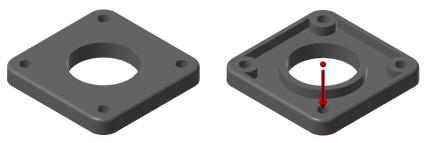
Click and drag the arrow on the solid to change the shell distance, or type a distance while the arrow is highlighted and press [Enter].
 How can I
hollow a part, but leave no open faces?
How can I
hollow a part, but leave no open faces?
Select the entire solid, rather than individual faces. Mastercam then removes the material from the solid's interior and thickens the faces to form the shell.
How can I
easily view the interior of a shelled solid that has no open faces?
Change the graphics window to wireframe mode, or select translucent shading.