Solid Extrude panel
Solid Extrude uses planar chains of curves to create one or more new solid bodies, cuts on an existing body, or bosses on an existing body. Mastercam extrudes chains of curves by driving the shape of the curves along a linear path using a specified direction, distance, and other parameters.
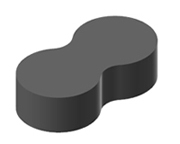
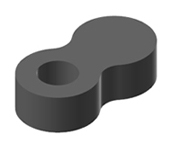
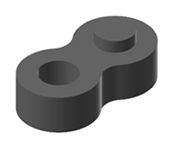
Click and drag the arrow on the solid to change the extrusion distance or type a distance while the arrow is highlighted and press [Enter].
 Why would
I use thin wall extrude?
Why would
I use thin wall extrude?
- Thin wall extrusions can use open or closed chains of curves.
- With thin wall extrusions, each chain of curves results in a separate solid, cut, or boss, regardless of whether the chains are nested.
- When creating thin wall extrusions using open chains, you can draft the faces associated with the endpoints of the open chains if you apply a draft angle to the solid's walls. Select Draft ends to use this option.
-
When using solid extrude the thin wall option is automatically applied if all the lines are in the same plane. If any open chains are selected, the thin wall extrude is automatically applied to all the selected chains on the same plane until the Mastercam session is ended. The thin wall option will not work on lines on different planes.
How do
I trim a cut or boss to an existing solid face?
- Select Cut body or Add boss.
- Enter an extrusion distance great enough to reach the solid faces.
- Select Trim to Faces.
- Right-click in the area below the Trim to Faces checkbox and select Add selection or click Add Selection.
- Select the solid faces using the Solid Selection dialog box and click OK.


