Solid Layout function
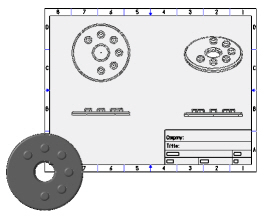
Use the Solid Layout function to create a layout of part views (for example, top, side, front, and isometric), arranged within a page you define. After generating the basic layout in the Solid Drawing Layout dialog box, customize the results by adding views, changing view positions, manipulating lines, and creating magnified details.
 How can I
create multiple layouts in a single file?
How can I
create multiple layouts in a single file?
After creating the first layout, use the Solid Layout function again for each new layout. When you try to add an additional layout to a file, Mastercam asks if you want to delete entities on the current level or choose a new level. Choose a new level for the new layout.


