Thicken panel
The Thicken function thickens a sheet solid in one or two directions, converting it into a solid body. You can use Thicken in conjunction with the From Surfaces function to turn surfaces into a solid that can be managed like other Mastercam solids.
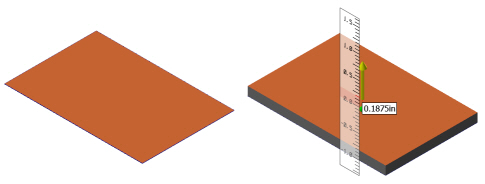
Click and drag the arrow on the solid to change the thicken distance or type a distance while the arrow is highlighted and press [Enter]. For more information, please see Single axis arrow control.


