Surface Net panel
Use the Surface Net panel to create net surfaces, which are surfaces constructed from a network of intersecting curves. The Net Surface function requires that you select three or four chains in any order without having to identify which are along and which are across. After you make your selections, Mastercam will automatically determine how to create the net surface. Besides surfaces, you can also use this function to create sheet solids or meshes.
 Creating a net surface
-
In Mastercam, load or create the geometry with which you want to create a net surface.
-
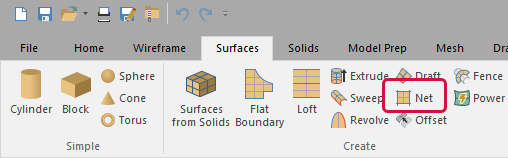
On Mastercam's Surfaces tab, select Net.
-
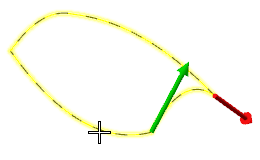
Select the chains to use for the across and along curves. You can select them in any order.
-
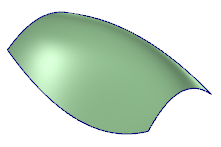
Press [Enter]. Mastercam creates the net surface.

The Wireframe Chaining dialog box displays.
What are the guidelines for creating net surfaces?
- The chains may or may not be trimmed in order to create a net surface. For chains that are not trimmed, the net surface will be created by trimming the chains appropriately to form the net of chains.
- You can chain the contours in any direction and in any order. Mastercam will sort the chains out for accurate results.
- Four sets of chains is the maximum number of contours you can select.
- Mastercam does not allow sharp cornered surfaces to be created. Instead, the sharp corners are rounded with a small radius.


