Translate panel
Use the Translate function to move, copy, or join entities within the same plane, without altering their orientation, size, or shape. Enter values into the function panel, or use the Dynamic Gnomon on-screen control to translate the selected geometry.
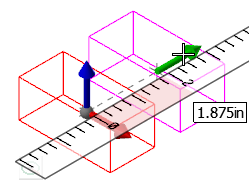
You can translate all geometric and drafting entity types using:
- Rectangular coordinates (X, Y, Z)
- Polar coordinates (vector and length)
- Between two points (base and new base)
 How can I prevent duplicate lines when translating and joining entities?
Select Delete duplicate entities in File, Open on the Files property page in the System Configuration dialog box.


