Arc Polar panel
Use the Arc Polar function to create polar arcs. Click in the graphics window to set a center point, and then drag to set the arc radius. Finally, click to set the start angle, and click to set the end angle.
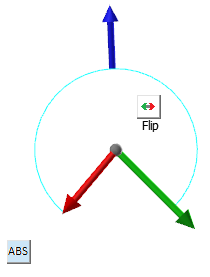
- Click and drag the sweep angle arrows to adjust the Start and/or End of the Sweep Angle. To do this, hover over the green or red arrow until the rotation compass appears. Rotate the control or enter a value in the on-screen field.
-
Click the ABS (absolute) button to switch to REL (relative), and vice versa. In ABS mode, the yellow arrow shows the absolute angle on the rotational compass (left image). In REL mode, the yellow arrow shows the angle relative to the green arrow (right image). The green arrow always shows an absolute angle. When the control is not selected, the yellow arrow shown in the following images is red.

-
Click the Flip button to switch between the current angle and its conjugate, as shown in the following two images.

-
Drag the blue arrow to change the radius of the arc.

-
Dragging an arrow over the rotational compass (left image below) or ruler causes the values to snap to set increments. Dragging outside the rotational compass (right image below) or ruler causes the control to ignore the snapping function. Set specific angular increments in the Polar Arrow settings dialog box. To display this dialog box, right-click the control's origin sphere. To change ruler increments, zoom in or out on the ruler.


 Guidelines for creating tangent arcs
Mastercam provides many ways of creating arcs and cylinders tangent to entities. Use the following guidelines and rules when creating arcs and cylinders tangent to entities:
-
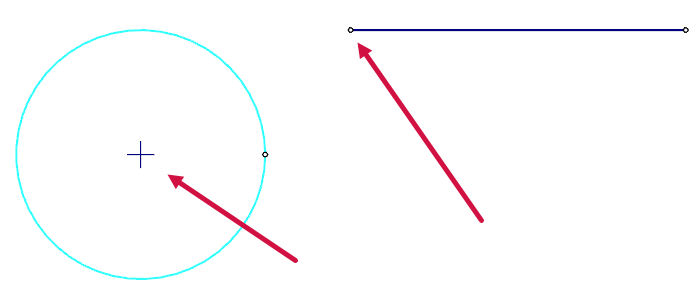
You can create arcs on an extended portion of the selected geometry. The red arrows indicate the center point and the line it is tangent to.
-
When you create a circle tangent to two curves, the radius of the circle must be greater than or equal to half the distance between the closest points on the two curves.

-
When you create an arc tangent to a line or arc with a defined edge point, the radius of the arc must be greater than or equal to half the distance between the selected entity and point at the closest pass between them.


