Modify Spline function
Use the Modify Spline function to change the shape of a NURBS or parametric spline entity. All entity control points appear in yellow and remain visible for as long as you work with the selected entity.
To modify the selected NURBS spline, click and drag a control point. Mastercam draws the modified shape or surface using a dashed line style in the highlight color. This drawing style lets you easily distinguish the modified entity from the original.
To modify the selected parametric spline, click the spline you wish to modify and the Modify Spline function panel displays.
 Tangent Parametric Spline Example
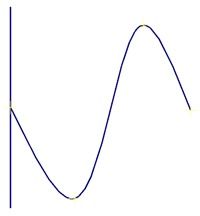
The following pictures show a line that is tangent to one endpoint of a parametric spline and how to Endpoint 1 checkbox affects moving it.
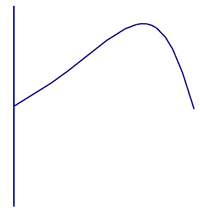
By selecting the Endpoint 1 checkbox, you can move the spline without removing its tangency to the line, as shown below:
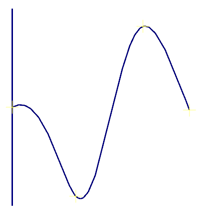
If you move the spline without maintaining its tangency, the result will look like this: