Trim Many panel
Use the Trim Many function to trim or break multiple lines, arcs, or splines to a selected entity without modifying the trimming curve. Use general select methods to select one or more entities to trim. Then, choose the entity to trim to. Indicate the side of the trimming curve you want to keep and preview the results.
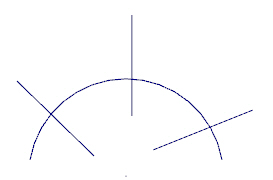
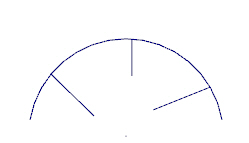
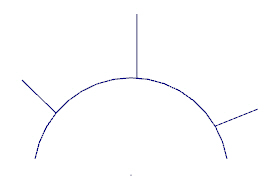
Before accepting the changes, you can flip the results from one side of the trimming entity to the other (as shown in the following illustrations), and switch the results between trimming and breaking the selected entity.
| Original | Inside | Outside |
|---|---|---|
|
|
|


