Configuring Communications
To successfully transfer data between Mastercam and your machine's control, you must have your communications settings configured properly. Code Expert uses the specified communications package to send and receive from within Code Expert’s editor. If you want to use a third-party communications package, such as CIMCO, configure your communications settings as follows.
To configure communications settings:
- Select the File tab, and click Options.
-
Open the Editor option group, and select NC, Communications.
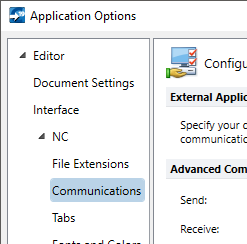
- In the External Application section, click Browse, and navigate to your communications application.
-
In Send and Receive, enter the command-line switches for the send and receive modes. (Check your communications package's manual for this information.)
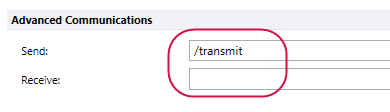
If you set your communications software to a third-party package, such as CIMCO, Code Expert disables its Receive button. This is because third-party communications packages cannot send data to Code Expert’s editor. To receive data with a third-party package, you must run your communications package from outside of Code Expert and configure it to receive from your machine control.


