Area Chaining
Area chaining is a technique for chaining/selecting closed boundaries with a single mouse click.
Instead of drawing a box around the entities to select them, as in the Window method, the area method selects closed boundaries around the point where you click the mouse. Area selection works in conjunction with the Infinite nesting in area chains option in the Chaining Options dialog box to provide two methods for chaining closed boundaries.
For more information on the two methods of area selection, please click the drop-downs below:
 Infinite
nesting in chain area deselected (default)
Infinite
nesting in chain area deselected (default)
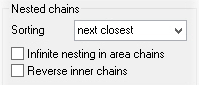
When the infinite nesting option is turned off (deselected), the area selection method selects only curves comprising the outermost closed boundaries. Nested curves are ignored. For instance, in the graphic below, infinite nesting is turned off, area selection was chosen from the Selection Bar, and the screen was clicked inside the outer rectangle and outside the polygons. Notice that the outer rectangle and the polygons were selected, but the circles and inner rectangles were not.

Infinite
nesting in chain area selected
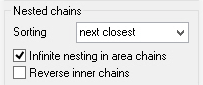
When the infinite nesting option is turned on (selected), the area selection method selects all curves within the area, including the outermost closed boundary. Nested curves are included. For instance, in the graphic below, infinite nesting is turned on, area selection was chosen from the Selection Bar, and the screen was clicked inside the outer rectangle and outside the polygons. Notice that now the outer rectangle and all inner (nested) curves are selected.


