Explode Mesh panel
Use the Explode Mesh function to separate mesh models into separate bodies. This is helpful when working with complex mesh models that are difficult or have problem areas. The number of resulting bodies is determined by the parameters set in the function panel.
Run Check Mesh before using any of the Modify functions on the Mesh tab to ensure your mesh is error-free. If it is not and you attempt to use one of those functions, Mastercam reports an error and you cannot continue until the mesh is fixed.
For more information, see Fixing Mesh Errors.
After starting the function, select a mesh in the graphics window. Then, use the settings in the Calculation group to refine the results.
-
Flatness sets the flatness in degrees for each segment and is measured between facets.
-
Edge angle tolerance defines the stop angle of a region.
-
Merge percentage forces regions with a total area less than this percentage to merge with its neighbor. Increasing this value creates regions with larger areas and produces fewer regions overall.
If you want to automatically split your mesh, select Split disjointed mesh. This option automatically separates the mesh model along existing disjointed areas, instead of using the calculation fields. Once selected, all of the other Calculation parameters are disabled.
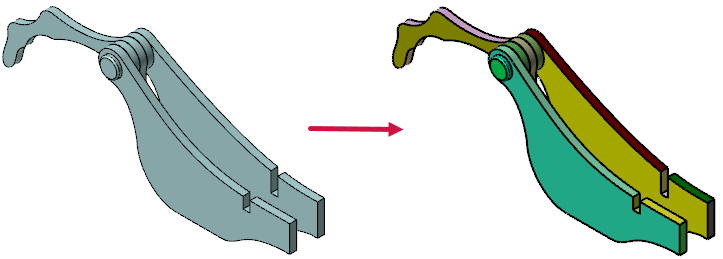
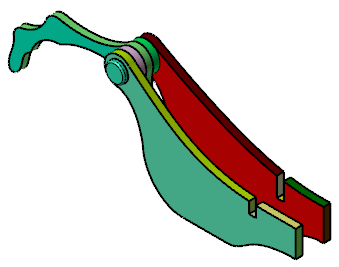
After setting your parameters, select Preview to view your results. The resulting meshes are individually colored in the graphics window and the number of created meshes is reported in the Explode Mesh function panel.
If you continue to make changes, you must select the Preview button again to update the number of resulting meshes in function panel and the mesh in the graphics window. You can also select Automatically preview results to have Mastercam display the modifications as you make them.
 Examples of Explode Mesh
Displayed below are a few examples of Explode Mesh, including the set parameters and resulting meshes.
| Calculation Parameters | Number of Resulting Meshes | Resulting Meshes |
|---|---|---|
| None. | 1 |
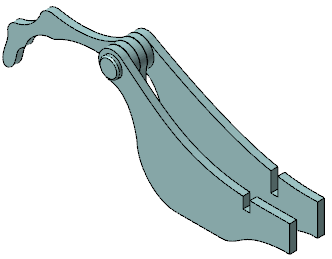
|
|
Split disjointed mesh selected. |
6 |
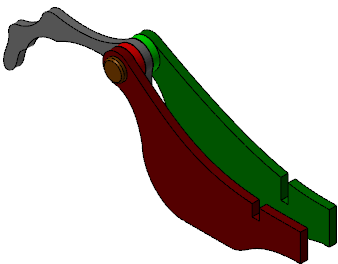
|
|
37 |
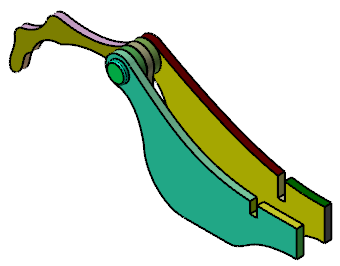
|
|
25 |
|


