Offset Mesh panel
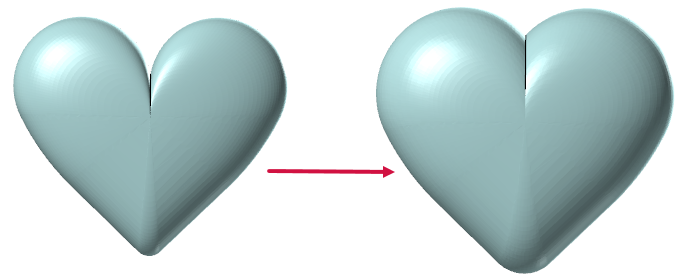
The Offset Mesh function uses a 3D spherical offset to inflate the selected mesh or a copy of the selected mesh. The size and accuracy of the resulting mesh is determined by the parameters set in the function panel. One of the benefits of a spherical offset is that the resultant mesh has smoother corners than the original.
Offset Mesh is helpful for setting up the stock for a part file. Add stock to a mesh by offsetting it the amount needed for your desired toolpaths. You can select the resulting mesh as stock in functions such as Job Setup, Stock Model, or Verify.
Open the function and select a mesh in the graphics window. Then, choose to either:
-
Copy the original mesh and apply the offset to the copy.
-
Modify the original mesh.
Adjust the following values to alter the resulting mesh. You may need to make multiple adjustments to these values to achieve the desired results.
-
Offset Distance is the specified distance by which the mesh will expand in all directions. The larger the value, the smoother the edges on the resulting mesh. Negative values are not accepted.
-
Tolerance defines the maximum deviation by which the mesh offset occurs.
After setting your parameters, select Preview to view your results.
If you continue to make changes, you must select the Preview button again to update the number of resulting meshes in function panel and the mesh in the graphics window. You can also select Automatically preview results to have Mastercam display the modifications as you make them.


