Curve Center panel
Curve Center builds a medial curve, a curve that is at the midline, between two or more selected chains. Use this function to create cross sections, midlines, and slices of your part.
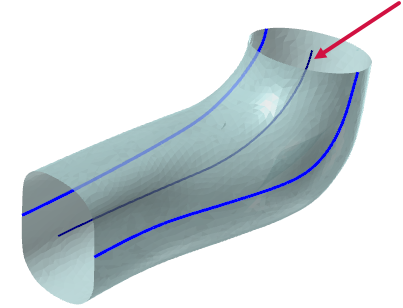
After selecting Curve Center from the Curve Slice by Plane drop-down in the Wireframe tab, Mastercam prompts you to select two or more chains. Mastercam creates your medial curve from the averages of the selected chains.
Chaining direction affects the creation of your center curve.

After you have selected at least two chains, click OK in the Wireframe Chaining dialog box to create your center curve.
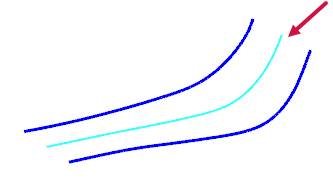
You can modify the center curve in the Curve Center function panel:
-
Edit your selected chains. Right-click in the Selection list to reverse, remove, add, or reselect your chains.
-
Control how precisely the curve fits the underlying geometry. Adjust the Chord Height Tolerance to define the maximum distance allowed between a line segment or edge and a curve.
When you are satisfied with your results, click OK or OK and Create New Operation to finalize your center curve.
You can use this function in conjunction with Curve Slice Along Curve panel to generate wireframe slices that accurately represent the curvature of a selected body.
-
Use Curve Center to create a center curve.
- Select the curve as your Along curve for Curve Slice Along Curve.
When the Along curve is at the midline of the object, the cross sections that Curve Slice Along Curve produces remain perpendicular to the chain, resulting in more accurate slices.


