Rectangle panel
Use the Rectangle function to create a rectangle. Click in the graphics window to set a base point to anchor the geometry, drag outward, then click to set the second corner. You can also position the rectangle by entering coordinates in the AutoCursor drop-down.
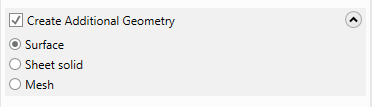
To simultaneously create other types of geometry as you create the wireframe, select the Create Additional Geometry option, and then choose Surface, Sheet solid, or Mesh, as shown in the following image. Mastercam then creates the wireframe along with the type of additional geometry you selected. For example, if you create a circle with Create Additional Geometry checked and Surface selected, Mastercam creates a circle filled with a surface.