Rectangular Shapes panel
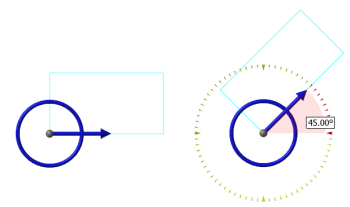
Use the Rectangular Shapes function to create rectangles using a Base point or 2 points method. Either method can create wireframe geometry only or wireframe geometry and a surface. The options change depending on the method you select. Both methods let you set a corner fillet radius, rotation angle, general shape, and surface creation. Alternately, rotation angle can be changed using the on-screen rotation control.
The Base point method lets you select an anchor position on the rectangle for the base point. After you sketch the base point, Mastercam draws the rectangle outward from that position. Drag outward in the graphics window, or enter a width and height in the function panel to proportion the rectangle.
The 2 points method lets you sketch a corner base point, draw the rectangle, and sketch the second point.
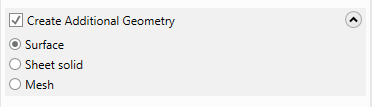
To simultaneously create other types of geometry as you create the wireframe, select the Create Additional Geometry option, and then choose Surface, Sheet solid, or Mesh, as shown in the following image. Mastercam then creates the wireframe along with the type of additional geometry you selected. For example, if you create a circle with Create Additional Geometry checked and Surface selected, Mastercam creates a circle filled with a surface.