Monthly LRAUV Data Load Check
It's good to routinely confirm that all delayed mode (post-recovery full-resolution) data get processed and loaded into the monthly databases on https://tethysviz.shore.mbari.org/. Here's some background and instructions on checking for successful processing and loading.
-
A set of cron jobs from the stoqsadm account on kraken are configured to auomatically process both realtime sbdlogs and delayed mode data for all LRAUVs.
-
A set of cron jobs from the docker_user account on tethysviz are configured to load data into the appropriate
stoqs_lrauv_<month><year>database.
During LRAUV deployment real-time data get processed into interpolated .nc files which are loaded on a 4 hour basis into the current month. The realtime data continue to get loaded into the previous month until the 10th day of the month.
After the vehicles are recovered their full resolution data get downloaded and processed into combined, aligned, and resampled data. These data are also loaded into the current month database.
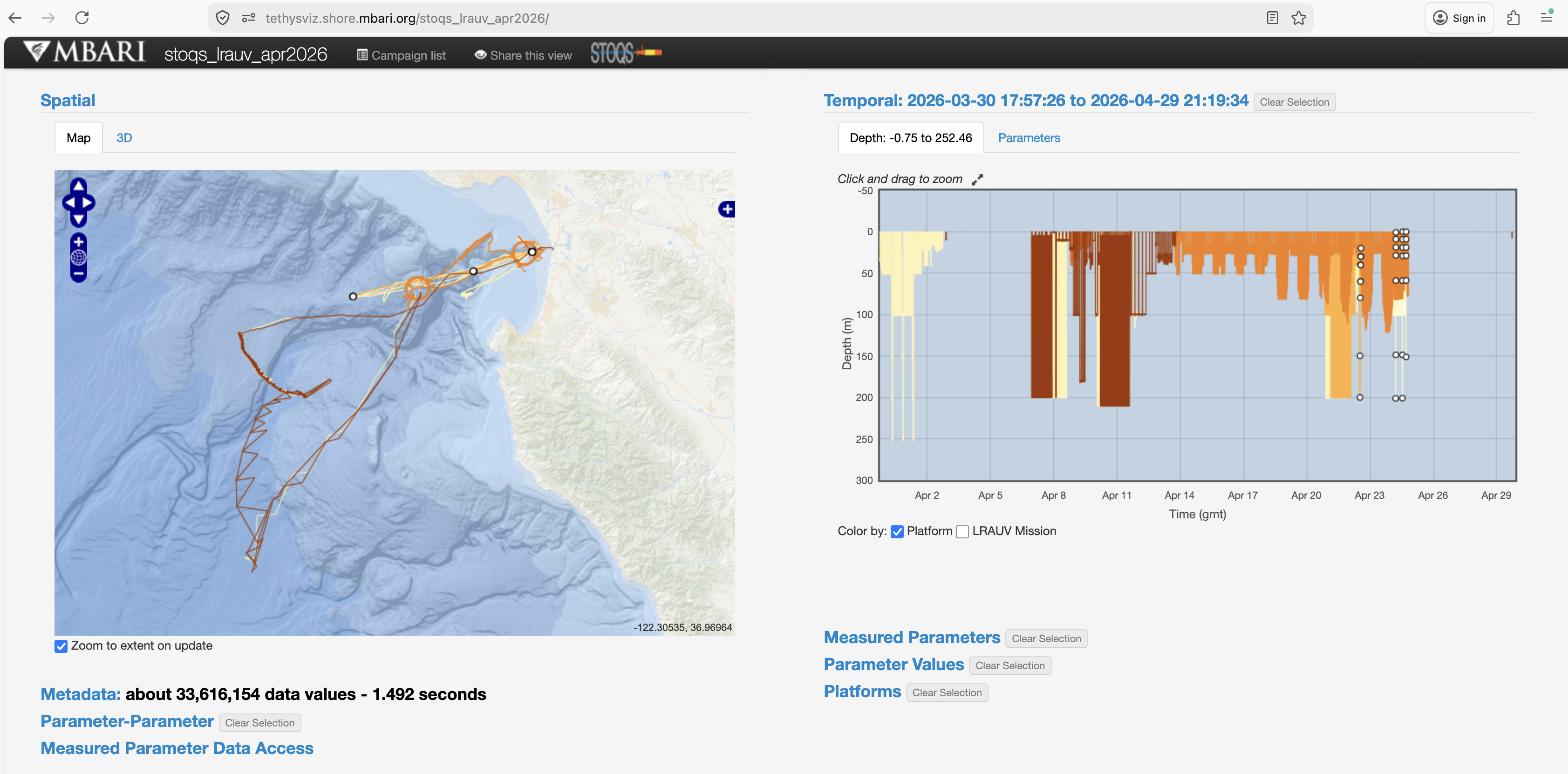
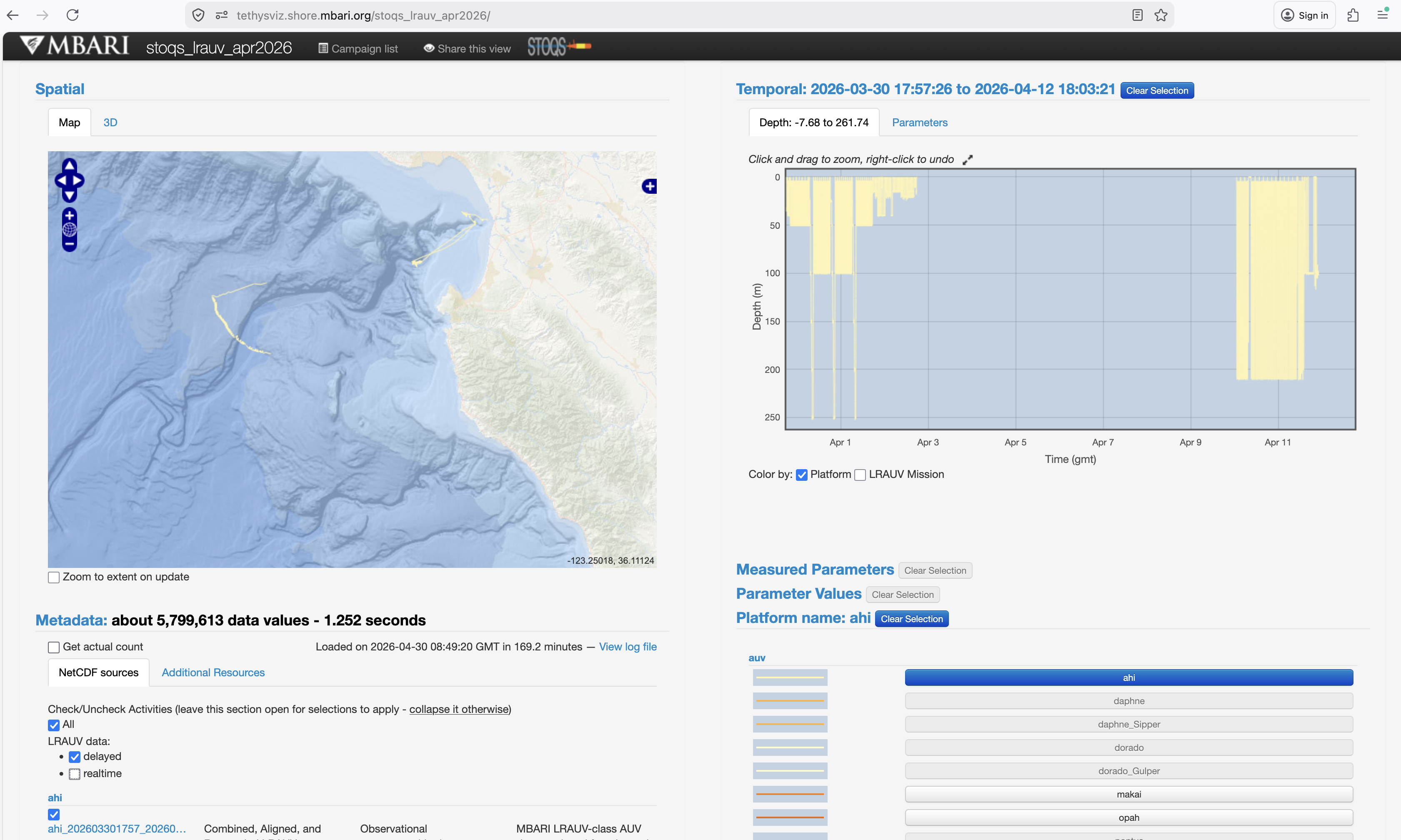
Until the 10th day of the month the the previoius month's realtime data can be checked against the delayed mode data. Here's how to do that using the STOQS User Interface. As an example we will use https://tethysviz.shore.mbari.org/stoqs_lrauv_apr2026/. Here is a screen shot taken on 1 May 2026, so we are now looking at the previous month within the 10-day window for comparing delayed mode and realtime data:
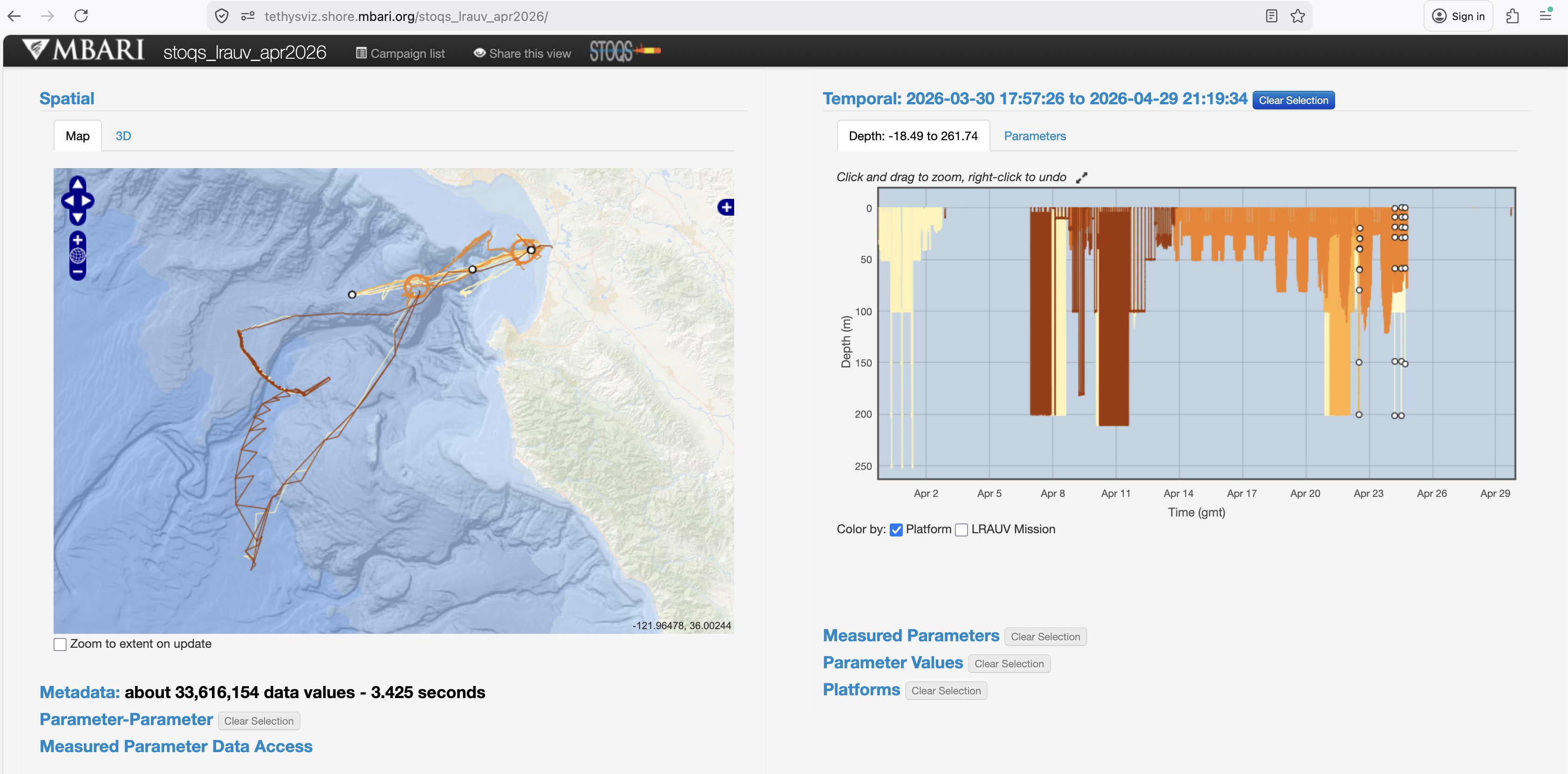
To make comparison easier we fix the Spatial and Temporal views by unchecking the "Zoom to extent on update" box in the Spatial panel and Click and drag to zoom in the Temporal panel:
Now, open the Metadata panel and toggle the Realtime checkbox to have the realtime data disappear:
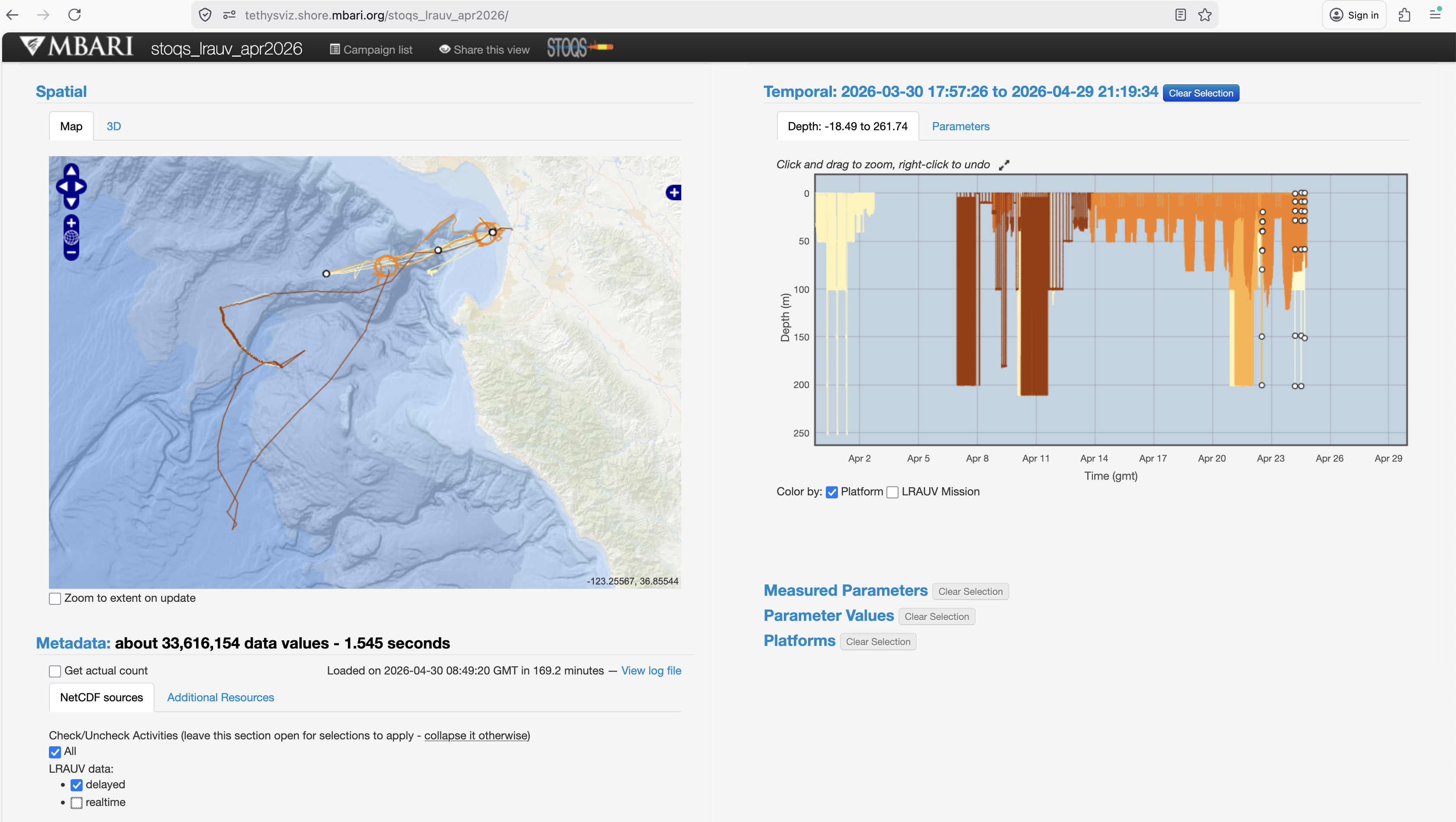
The Spatial view has an obvious change with the uncorrected navigation data not being shown. There is a subtle difference the Temporal view. An entire ahi log delayed mode file did not get processed. This is easier to confirm by making some more selections in the UI (zooming in and selecting the ahi Platform):
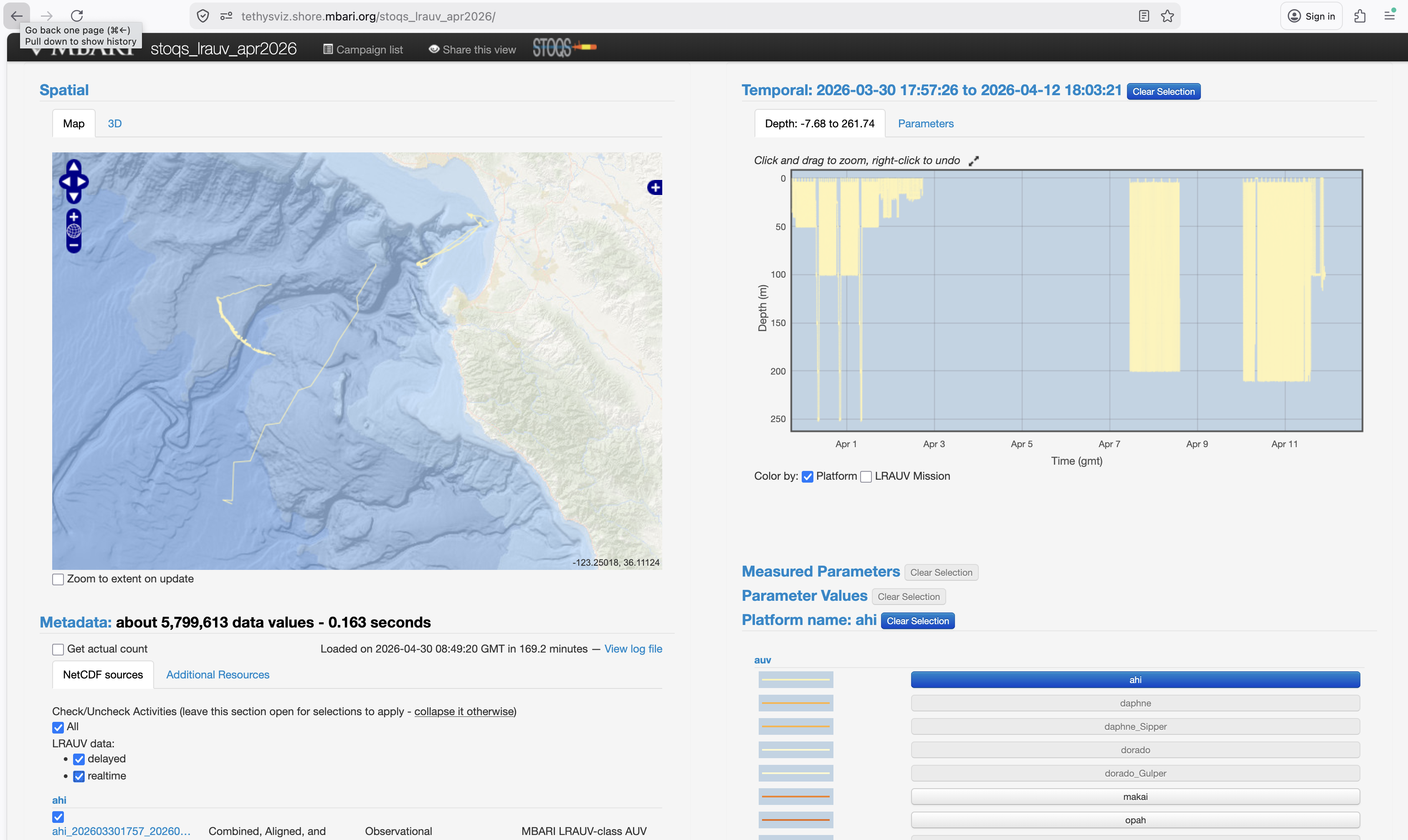
Toggling off the Realtime data shows the missing log directory:
The Metadata section shows all the checked .nc files the are in the current view. The missing delayed mode log directory can be found there: the realtime data will have an .nc file, the delayed mode will not. Also, mousing over the track in the Temporal pane will show the Stoqs Activity name, which is composed of the .nc file name:
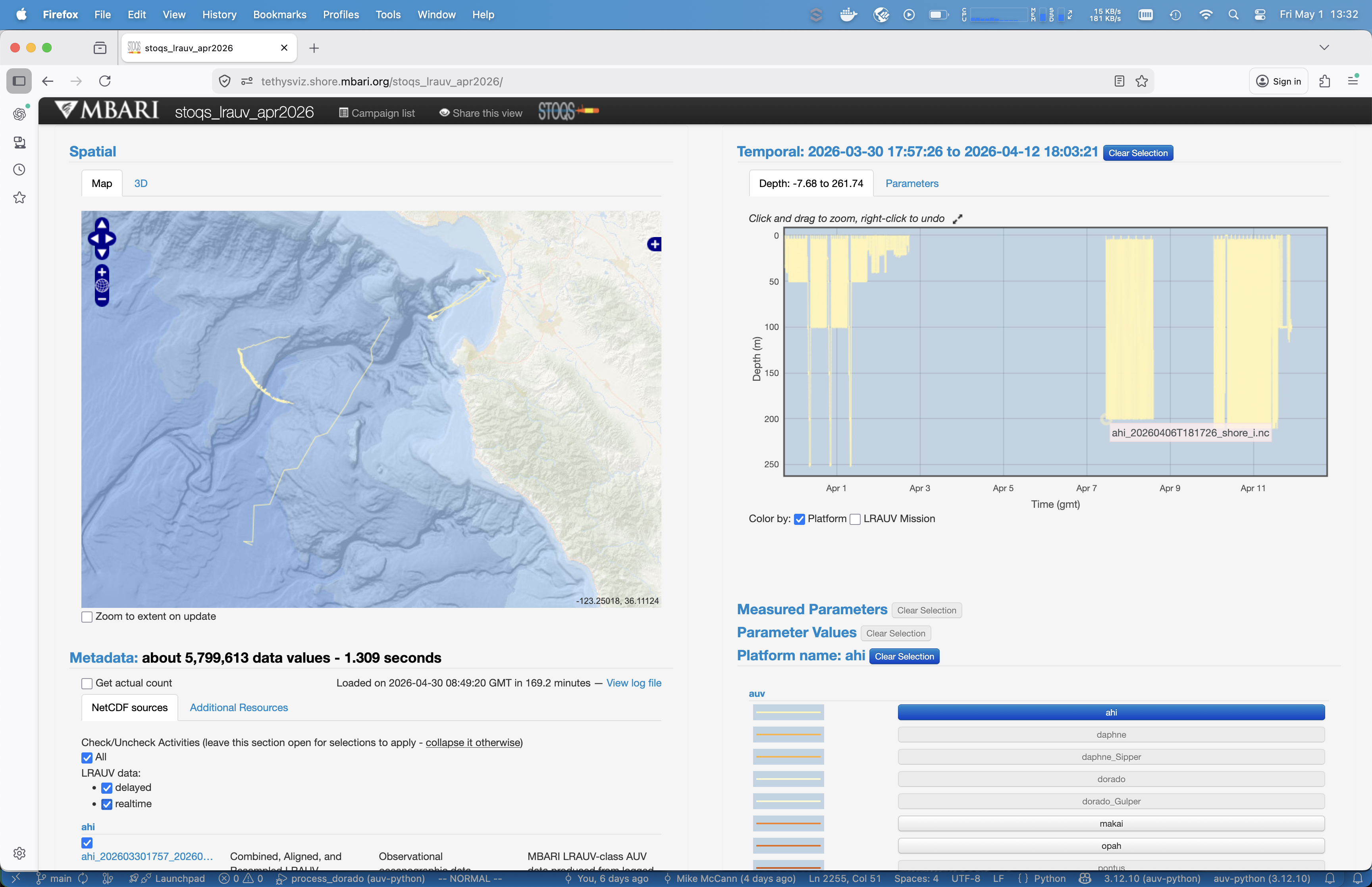
Missing delayed mode data can have many different causes. In this case it's due to a commented out line the the corresponding .dlist file: https://dods.mbari.org/opendap/data/lrauv/ahi/missionlogs/2026/20260406_20260412.dlist:
# Deployment name: Ahi 47 CFE
#         Git tag: 2026-03-03
#    Vehicle name: ahi
#
# Start:   2026-04-06T10:00:00.000-07:00
# Launch:  2026-04-06T15:31:00.000-07:00
# Recover: 2026-04-12T12:58:04.872-07:00
# End:     2026-04-12T12:58:45.449-07:00
#
# Directories listed below comprise full set of logs for this deployment:
#20260406T181726
20260410T010521
20260410T080016
20260411T103639
20260411T145332
20260411T193710
Checking with the LRAUV team on whether the 20260406T181726 really needs to be commented out is appropriate in this case.
Other common problems may be hiccups in the routine auv-python process_lrauv.py processing which can be traced starting at the cron job and the log files it writes to, e.g.:
0 7,11,15,19 * * * cd /opt/auv-python && /usr/bin/docker compose run -u 1087 --rm -v /tmp:/tmp -v /mbari/LRAUV:/mbari/LRAUV auvpython src/data/process_lrauv.py -v --last_n_days 14 --num_cores 1 --clobber --update_ssds_provenance > /tmp/process_lrauv_last_30_days.out 2>&1