Overview
A small team has been developing and using the tools and workflows described here to support tasks such as annotation, dataset preparation, model training, and running models on a large scale. These tools are mostly web-based, designed to help our teams turn raw oceanographic media—like images, video, and (in-progress) audio—into useful training data, tested models, and reliable production pipelines. Depending on the task, and data quality, model performance typically ranges from 76% to 90%.
The general goal is to manage machine-generated data throughout its entire lifecycle. The approach we have taken is, where possible, leverage existing tools and workflows, instead of bespoke solutions. The work is evolving and we welcome feedback and contributions.
To see where we are headed next, check out the roadmap.
Start Here
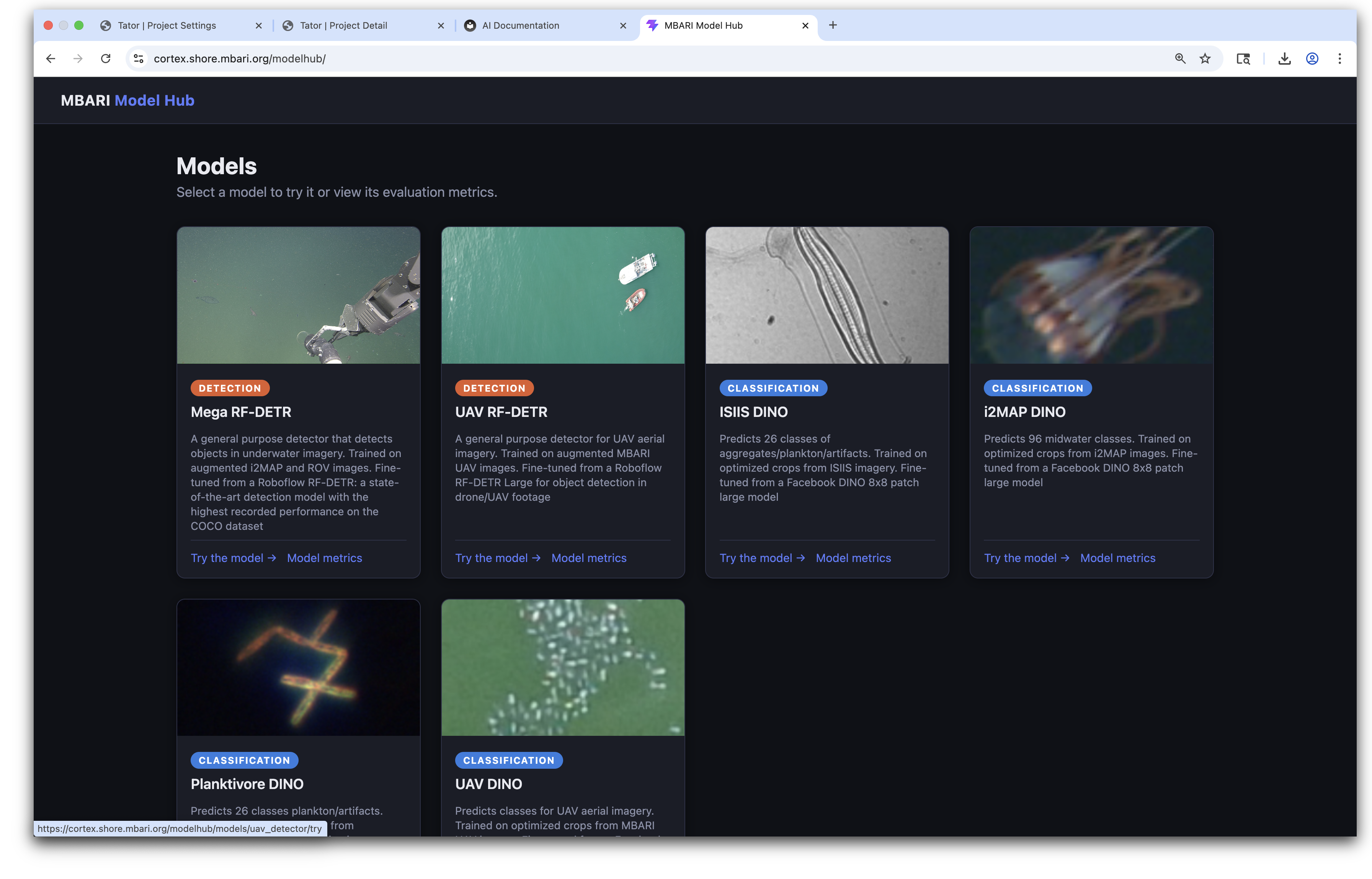
Browse deployed models
Open the live gallery to try models and view performance metrics: cortex.shore.mbari.org/modelhub/.
Label and review data
Head over to the Annotation Overview if you need to log into Tator, browse media, filter records, or make edits. We also use Voxel51 for more advanced analysis and labeling.
Build a training set
Use our Training Data Annotation Workflow to move from clusters and detections to a model-ready dataset.
Download or transform data
Check out Download Data or the aidata CLI guide when you need to export data for analysis or training.
Train a model
Choose classification or object detection training depending on what you're trying to do.
The diagram below shows the end-to-end workflow we use.
End-to-End Workflow

Most of our projects follow this pattern:
- Find candidate examples using detection, clustering, or vector search.
- Review and label data in Tator and/or Voxel51.
- Download or transform the dataset into training formats.
- Train and evaluate a model.
- Repeat the loop until the dataset and performance are good enough for deployment.
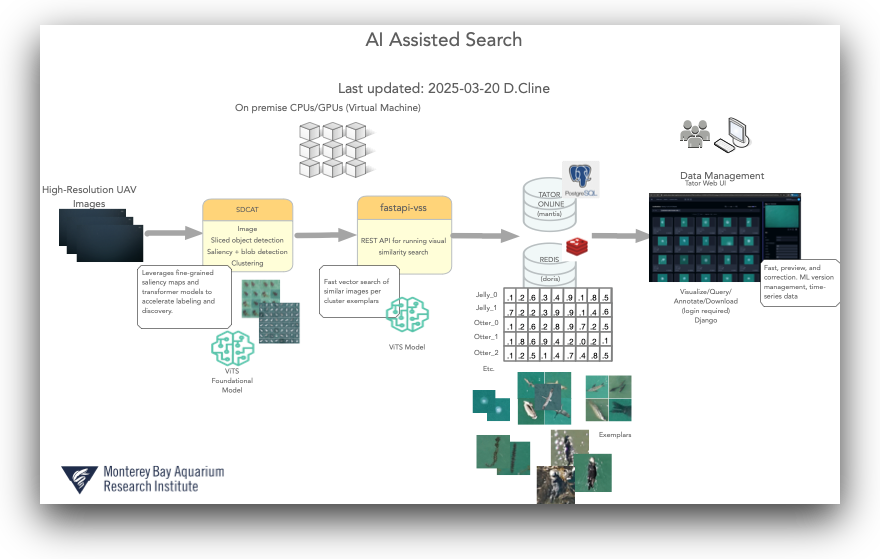
For rare classes, we often use vector search to expand the training set. Each project has its own project-specific vector database. See Vector Search for more details.
Key Capabilities
Find data with detection and clustering
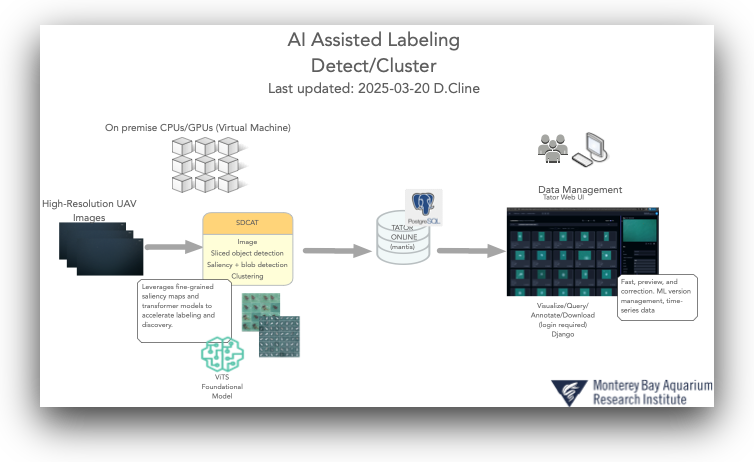
If your data isn't already localized, detection and clustering are usually the fastest way to surface examples and cut down on manual review time.
We used this approach for MBARI drone imagery, plankton, and midwater images. By running data through our Sliced Detection and Clustering Toolkit (SDCAT), we produced clusters that were then loaded into Tator and/or Voxel51:
Review and label data
Label data in Tator
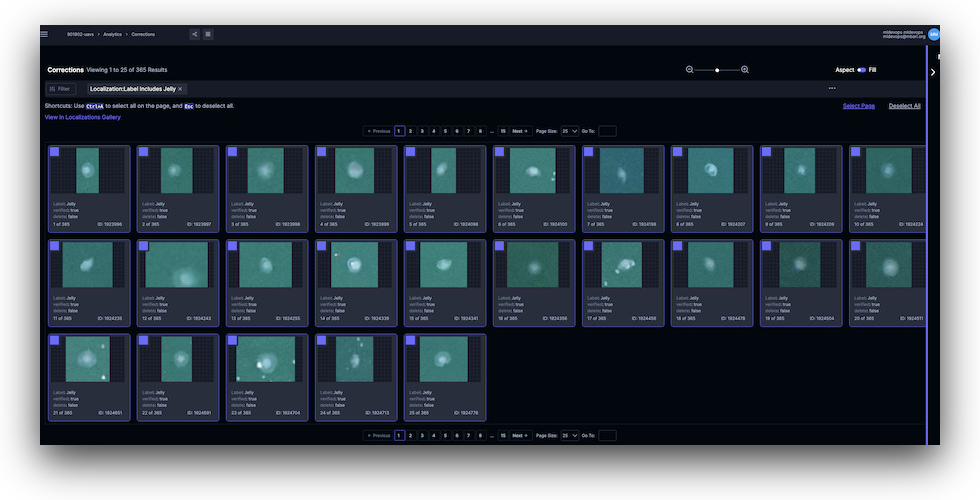
Tator is our main annotation environment for images, video, and audio. It supports interactive review as well as bulk editing. We have recently added support for exporting/importing data to/from Voxel51 for faster and more advanced labeling.
| Project View | Bulk Editor View |
|---|---|
 |
 |
Label data in Voxel51
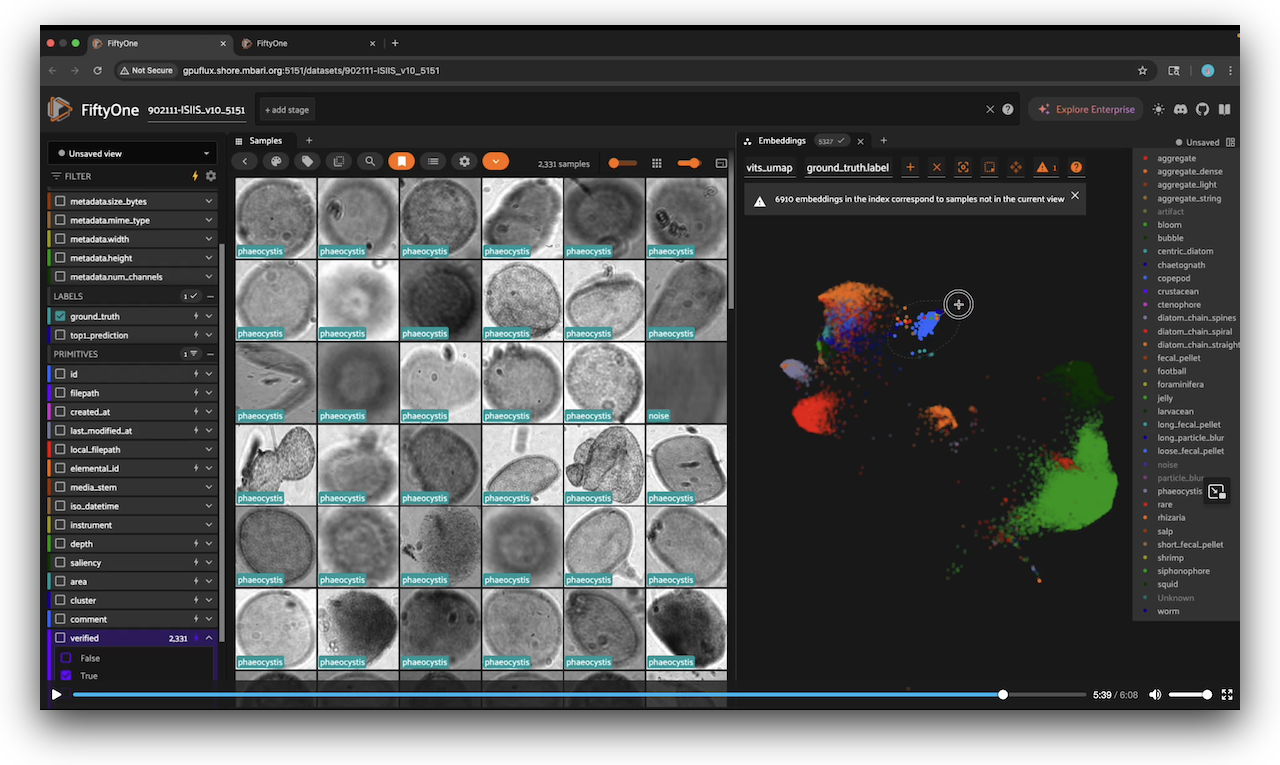
A nice tutorial on how to use Voxel51's platform to annotate data. This applies to both the community and enterprise versions. Here, Fernanda walks us through the process of annotating a large plankton dataset.
Find similar data with vector search
Vector search helps us expand sparse labels into a broader training set by finding visually similar or semantically related examples. This is key for targeting the "long-tail" of rare observations.
Train models and review results
Once data is labeled and exported, we train classifiers or detectors and use qualitative and quantitative metrics to refine the next annotation pass. Trained models that are showcased for interactive trials and hub metrics live in the MBARI Model Hub. Below is an eaxmple using t-SNE to see how well our models are separating features.

Core Tools
The core tools we use for labeling, vector search, training, and scalable processing are now documented on a dedicated page.
- See: Core Tools
- See: Audio Analysis
- See: API Services
Need a quick answer? Start with the FAQ. If you’re ready to annotate or export data, jump directly to Annotation Overview or Download Data. If you have questions, drop by for a chat with any team member — we value the collaboration that happens when we talk one-on-one.
Updated: 2026-07-07