Core Tools
This page summarizes the main tools we use across our end-to-end workflow: finding candidate examples, labeling/review, building training sets, training models, and running models at scale.
Images
-
SDCAT - Sliced Detection and Clustering Analysis Toolkit
Use this to detect and cluster objects in images so you can bootstrap labeling. It's typically the first step when building a training set from large image collections. -
🧭 VSS - Vector Similarity Search
VSS helps you find visually similar samples using embeddings from foundational models like DINOv2 or CLIP. It’s incredibly useful for expanding a sparse set of labels into a stronger dataset.

-
DINO - Self-supervised vision features
We use DINO-style self-supervised features in parts of our image understanding workflow (e.g., embeddings that support similarity search and clustering). -
🏷️ Tator - Annotation and dataset management
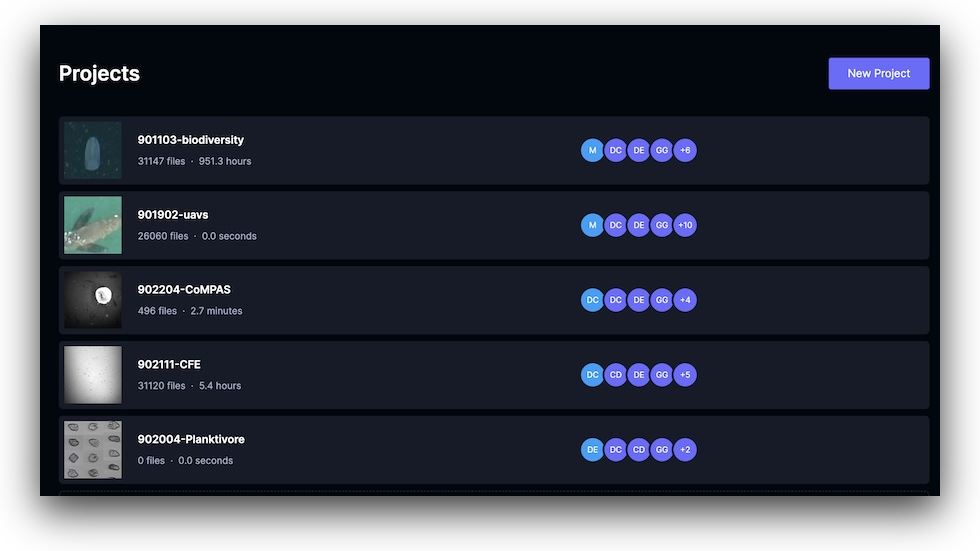
Tator is the web app we use to label images, video, and audio, store metadata, and export structured datasets.
If you want to explore current projects in Chrome, Brave, or Microsoft Edge, sign in with username guest and password mbariguest at https://mantis.shore.mbari.org/accounts/login.
Video and time-lapse
-
🏷️ Tator - Annotation and dataset management
Tator includes tools that work well for long-duration video review, frame-level annotations, and time-lapse workflows. -
RF-DETR - Object detection model
We use RF-DETR for high-accuracy detection. On several MBARI workloads, it has outperformed our earlier YOLO-based baselines.
-
Scalable video processing pipelines
We use Argo Workflows and Kubernetes to run scalable video processing pipelines, especially for large video datasets and multi-step workflows. -
DeepSea AI - Cloud-based detection and tracking
Use DeepSea AI when you need cloud-scale video processing, tracking, or multi-GPU training. Check out the DeepSea AI docs for deployment details.
Updated: 2026-07-07