Download Tator data
Download images, annotations, and metadata from Tator with the aidata
command-line tool, the Tator web interface, or the Tator API.
Getting your TATOR_TOKEN
When interacting with the Tator database, an authentication token is required. This can be generated once after logging in the annotation server, select API Token
Navigate to the API token page 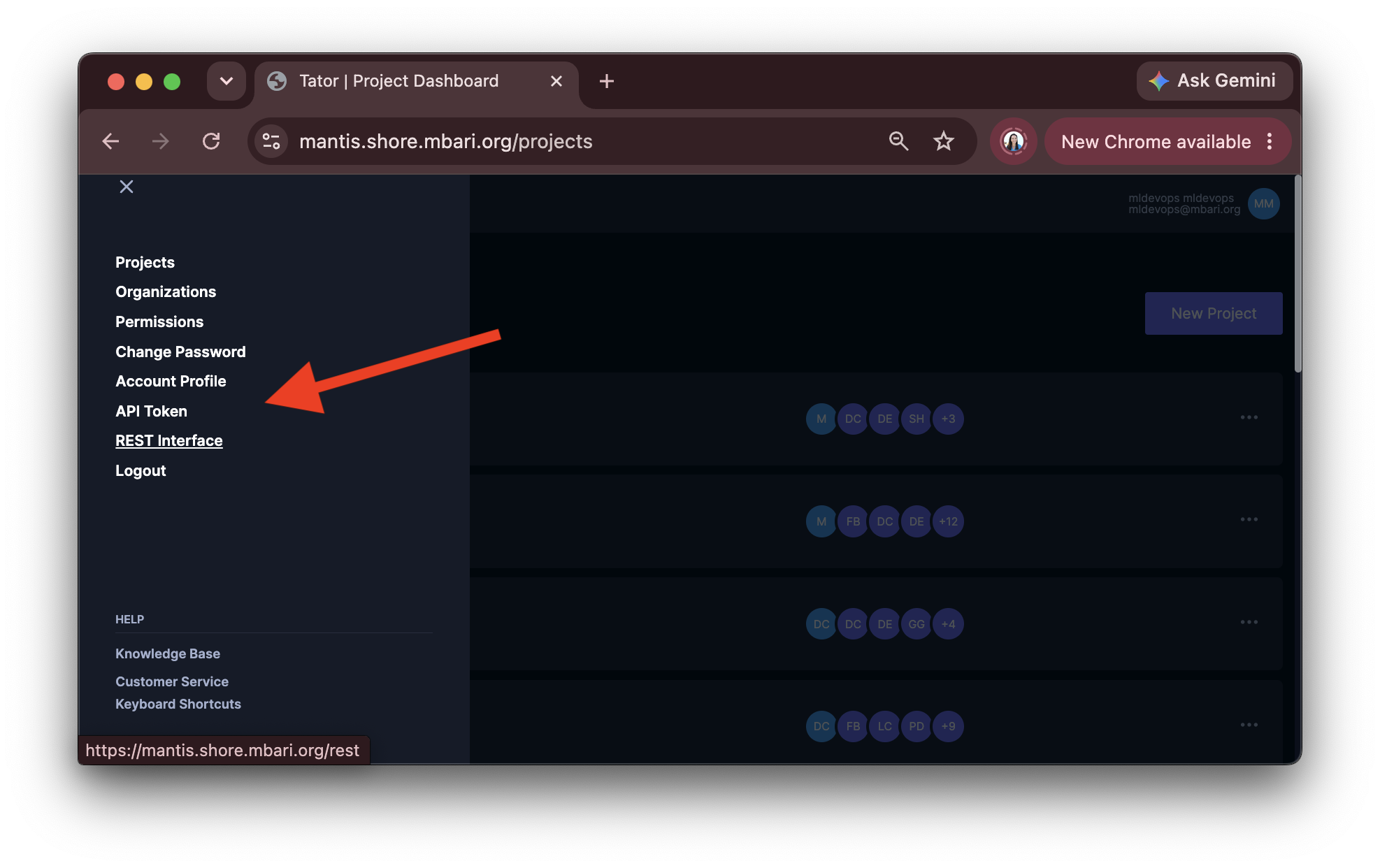 |
Enter your username and password, then click Get token 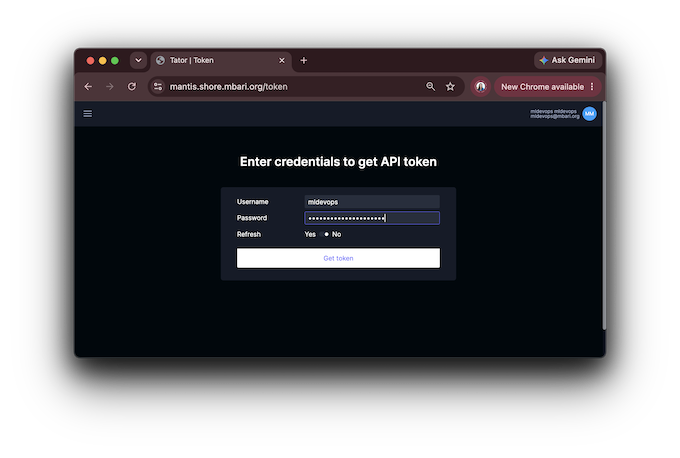 then export your token in your shell then export your token in your shell export TATOR_TOKEN=XXXXXXXXXX |
💾 Downloading your data with aidata
If you are training a model, the download process will need formatting into compatible formats for training. To assist with that, we have a tool aidata. This is also generally useful for downloading data for analysis. Various formats such as VOC, CIFAR, and YOLO are supported, as well as other features, e.g. resize images, crop regions of interest (ROIs) from images/videos, and filter by labels, versions, sections, and verification status (with --verified or --unverified). It is optimized to use all of your available CPUs for speedup.
First, install the module
pip install mbari-aidata
Examples
⬇️ Download any Ctenophora sp. A data that is verified
export TATOR_TOKEN=<your token>
aidata download dataset --labels "Ctenophora sp. A" --verified --config https://docs.mbari.org/internal/ai/projects/config/config_bio.yml
⬇️ Download Velella across platforms and save to separate directories uav and ptvr_lm
export TATOR_TOKEN=<your token>
aidata download dataset --labels "Velella_velella" --verified --config https://docs.mbari.org/internal/ai/projects/config/config_uav.yml --base-path $PWD/uav
aidata download dataset --labels "Velella_velella" --crop-roi --verified --config https://docs.mbari.org/internal/ai/projects/config/config_planktivore_lm.yml --base-path $PWD/ptvr_lm
⬇️ Download from multiple versions of the same project, square for 224x224, and pad with black pixels for classification model training
This is useful when you want to train a classification model on combined data versions of the same project. If there is an overlap between the versions in the localizations, NMS is used to merge overlapping localizations.
export TATOR_TOKEN=<your token>
aidata download dataset --crop-roi --resize 224 --fill black --verified --version mbari-ifcb2014-vitb16-20250318_20250320_025000,mbari-ptvr-vits-b8-20250513_20250526_130025 --config https://docs.mbari.org/internal/ai/projects/config/config_planktivore_hm.yml
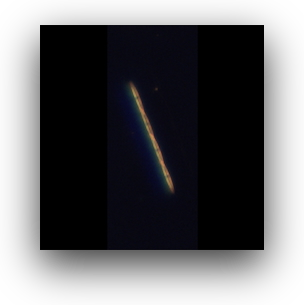
This produces images that may be padded with black pixels to make them square.
Example of a pseudo-nitzschia image from Planktivore black padded
⬇️ Download all verified Pinniped and Shark data and resize to 224x224 from the UAV project
This is useful for training a classification model. See the classification training for an example on how to train a classification model with this data.
export TATOR_TOKEN=<your token>
aidata download dataset --crop-roi --resize 224 --labels "Pinniped" --version Baseline --verified --config https://docs.mbari.org/internal/ai/projects/uav-901902/config_uav.yml
⬇️ Download all verified data and save to VOC format.
This is useful for training an object detection model.
export TATOR_TOKEN=<your token>
aidata download dataset --voc --resize 224 --labels "Pinniped" --version Baseline --verified --config  https://docs.mbari.org/internal/ai/projects/config/config_uav.yml
⬇️ Download all verified data and save to YOLO Ultralytics format.
This is useful for training a detection model. Requires two steps: first download the data to VOC, then transform it to YOLO format.
export TATOR_TOKEN=<your token>
aidata download dataset --yolo --resize 224 --labels "Pinniped" --version Baseline --verified --config https://docs.mbari.org/internal/ai/projects/config/config_uav.yml
aidata transform voc-to-yolo --base-path Baseline
⬇️ Download all unverified data and save to CIFAR format.
export TATOR_TOKEN=<your token>
aidata download dataset --cifar --resize 224 --labels "Pinniped" --version Baseline --unverified --config  https://docs.mbari.org/internal/ai/projects/config/config_uav.yml
For more examples of downloading and augmenting your data which is useful for training models, see the transform command. Augmentation refers to the process of applying transformations to your data to increase the size and diversity of your dataset, which will improve the performance of your models without the need for additional labeled data. We have found this useful for large format images, such as those from the UAV project.
⬇️ Downloading through the Tator web interface through the Metadata button.
Don't want to use the command line? There is a utility build in to download through the web interface
through the Metadata button.
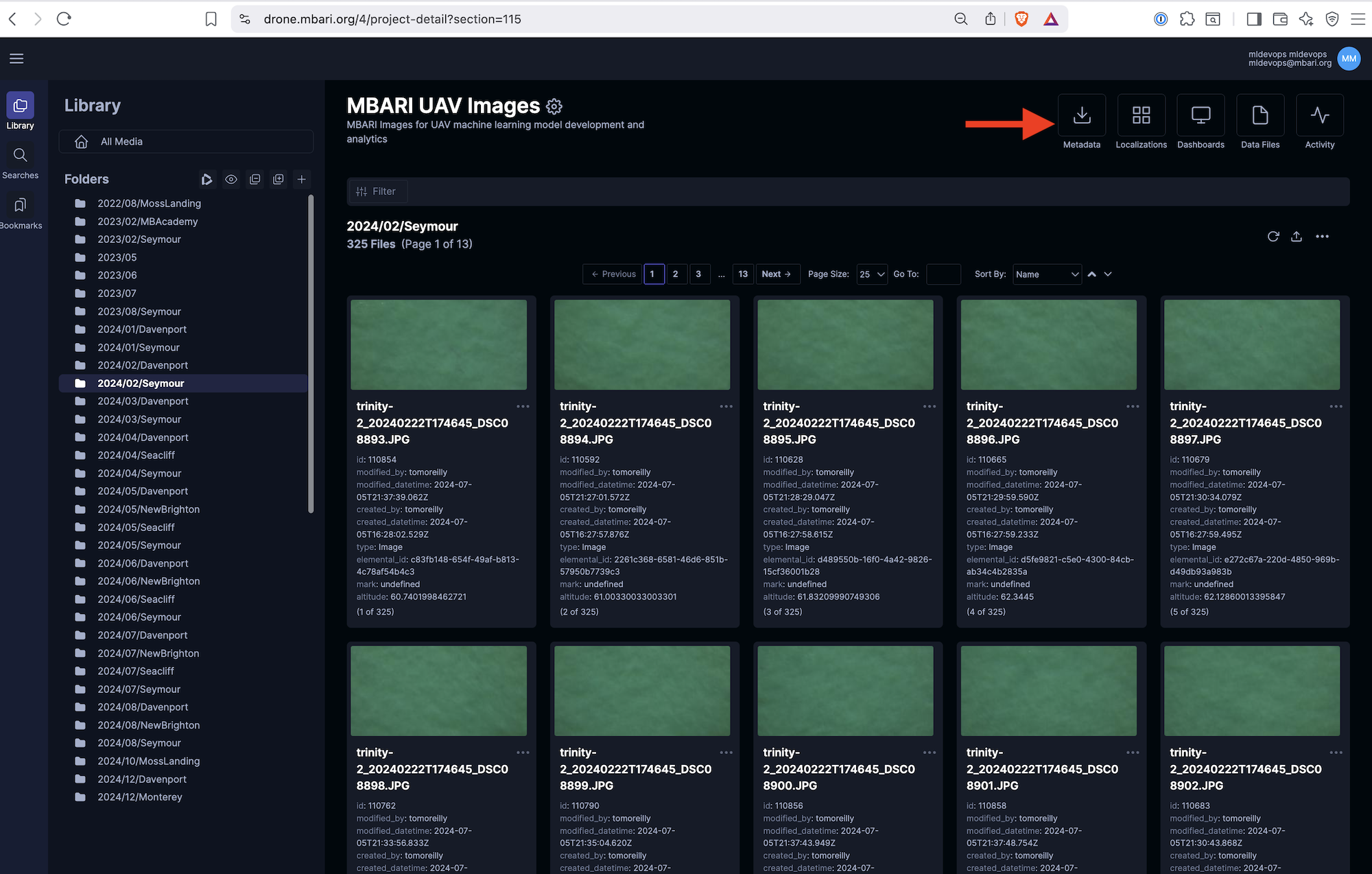 Here is a quick video showing how to do this: Download Metadata from Tator
This will save a CSV file with any number of columns depending on your project configuration. For example, for the UAV project,
a useful export would be the following:
Here is a quick video showing how to do this: Download Metadata from Tator
This will save a CSV file with any number of columns depending on your project configuration. For example, for the UAV project,
a useful export would be the following:
| (media) altitude | (media) date | (media) latitude | (media) longitude | (media) make | (media) model | $version_name | $x_pixels | $y_pixels | $width_pixels | $height_pixels | Label | score |
|---|---|---|---|---|---|---|---|---|---|---|---|---|
| 60.62410003789310 | 2024-05-02T16:06:48+00:00 | 36.976068022980300 | 121.92875717895700 | SONY | DSC-RX1RM2 | Baseline | 6435.381443 | 860.939130 | 271.618557 | 410.060870 | Shark | 1 |
| 59.8184 | 2024-05-02T17:13:32+00:00 | 36.97105967800670 | 121.91850362801700 | SONY | DSC-RX1RM2 | Baseline | 3827.412371 | 2777.553623 | 317.587629 | 179.446377 | Shark | 1 |
| 59.27389984825490 | 2024-05-02T17:16:14+00:00 | 36.96902484400940 | 121.91568711392600 | SONY | DSC-RX1RM2 | Baseline | 4601.092784 | 2464.950725 | 250.907216 | 400.049275 | Shark | 1 |
| 59.39959973315540 | 2024-05-02T17:17:05+00:00 | 36.96702581099970 | 121.91080038101100 | SONY | DSC-RX1RM2 | Baseline | 6127.958763 | 3807.605797 | 261.041237 | 363.394203 | Shark | 1 |
Downloading through the Tator API
⬇️ Download all localizations in a section to a CSV
import pandas as pd
import tator
import os

project_id = 12 # Planktivore project id
section_id = 273 # Velella low mag section

# Connect to Tator
api = tator.get_api(host='https://mantis.shore.mbari.org', token=os.environ['TATOR_TOKEN'])

# Get list of media
localizations = []
medias = api.get_media_list(project_id, section=section_id)
media_id_list = [media.id for media in medias]
print(f'Found {len(medias)} media(s)')

# Batch fetch annotations
batch_size = 100
# See https://www.tator.io/docs/references/tator-py/api#get_localization_list
for start in range(0, len(media_id_list), batch_size):
    chunk = media_id_list[start: start + batch_size]
    locs = api.get_localization_list(project=project_id, media_id=chunk, section=section_id, attribute=["verified::True"])
    localizations.extend(locs)
    if len(locs) == 0:
        break
    print(f"Found {len(locs)} new verified localizations")

data = [loc.to_dict() for loc in localizations]
df = pd.json_normalize(data)
df.to_csv("velella_ptvr.csv")
🗓️ Updated: 2026-06-19