Users and Organizations
Cloud only.
Roles
| Role | Can |
|---|---|
| User | See and operate the organization's devices and deployments |
| Admin | Everything a User can, plus manage the organization's users (Users page) |
| Root (system) | Everything, plus create organizations (Organizations page) |
A person can belong to more than one organization, with a different role in each. They switch between them with the Organization menu.
Users
Side menu → Users, visible to organization Admins.
The list shows each user's Email and Role, with Reset Password and Remove under Management.
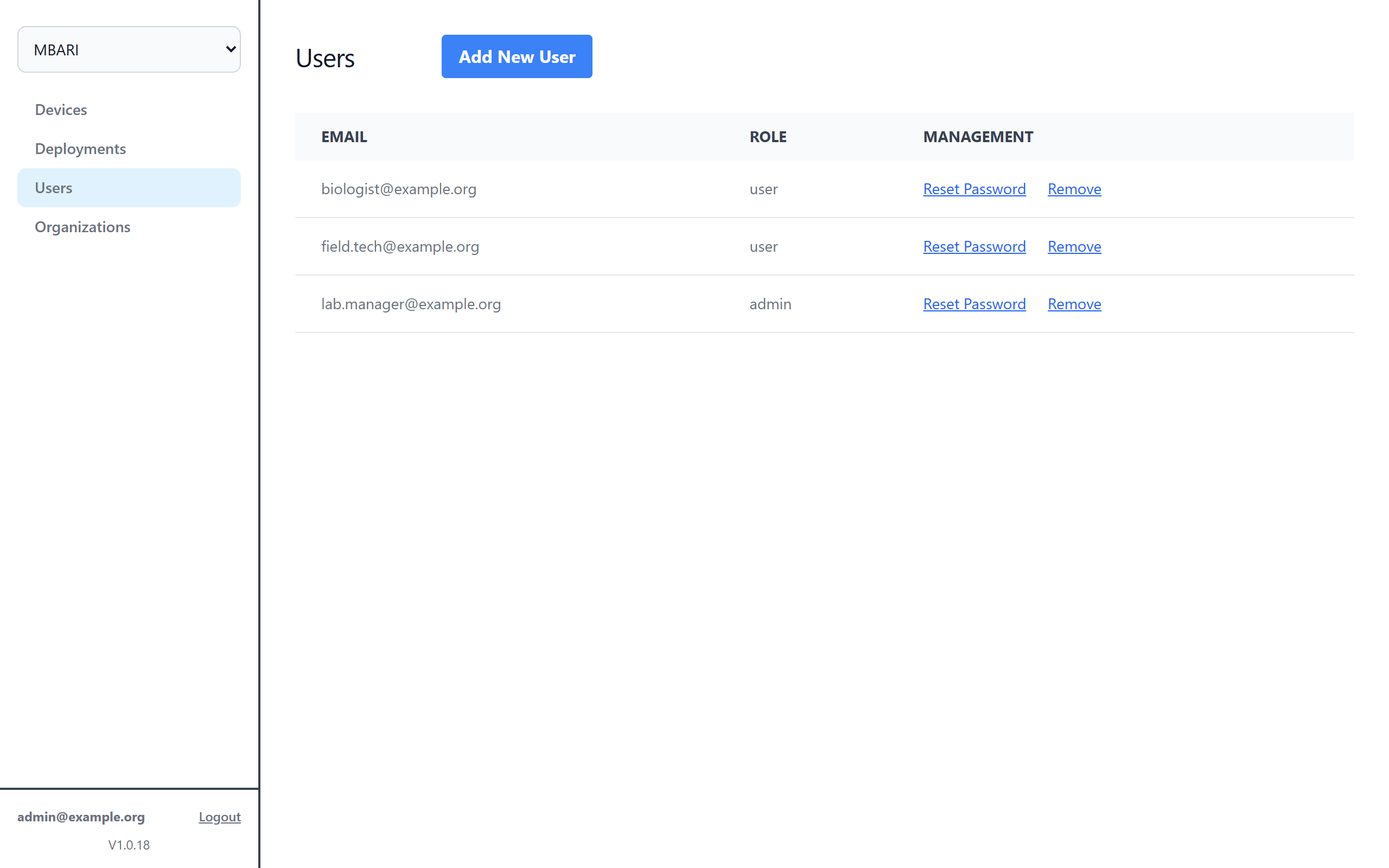
- Add New User
-
Enter Email Address, New Password, Confirm New Password and Role (User or Admin), then click Create.
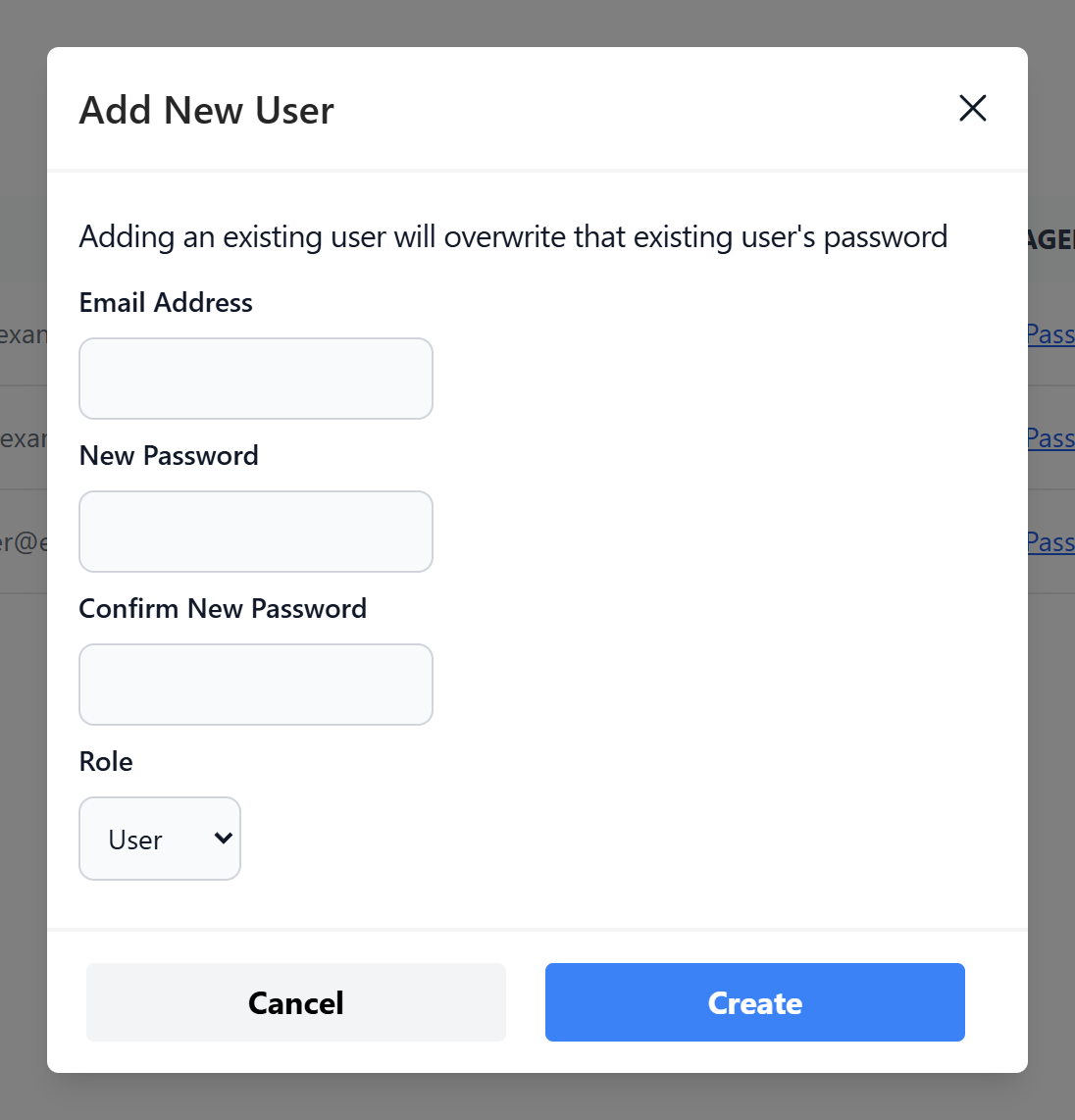
Warning
Adding an email address that already exists overwrites that user's password.
- Reset Password
- Set a new password for the user.
- Remove
- Removes the user from this organization only.
Organizations
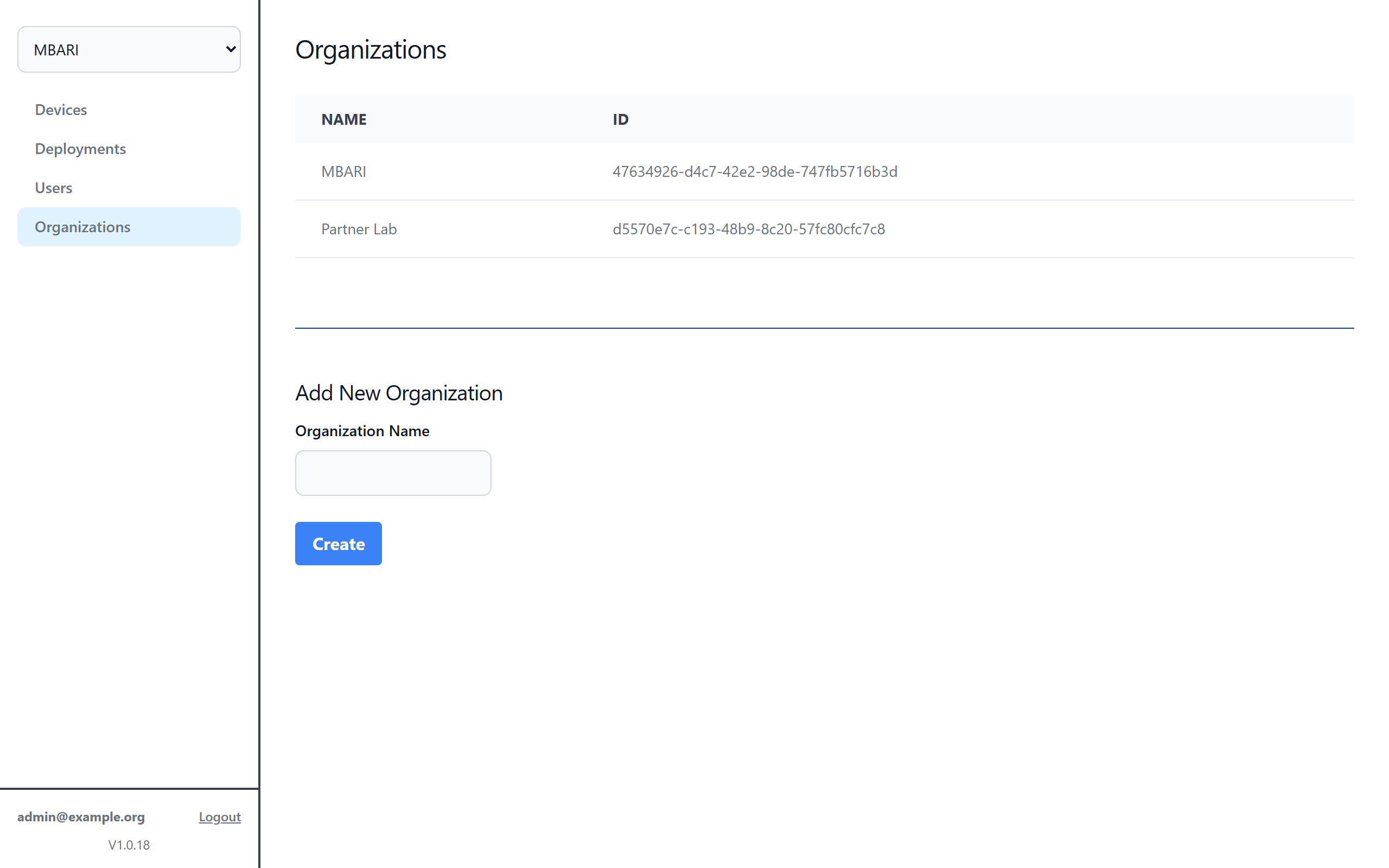
Side menu → Organizations, visible to root users.
Lists every organization by Name and ID. Use Add New Organization to create one: enter the Organization Name and click Create.
Adopting devices
Each organization has an Organization Secret, shown on its Devices page. Entering it on a FIDO's local Management page under Remote Management → Adopt links the FIDO to the organization. See also Add a New Device.