Device
Side menu → Device**
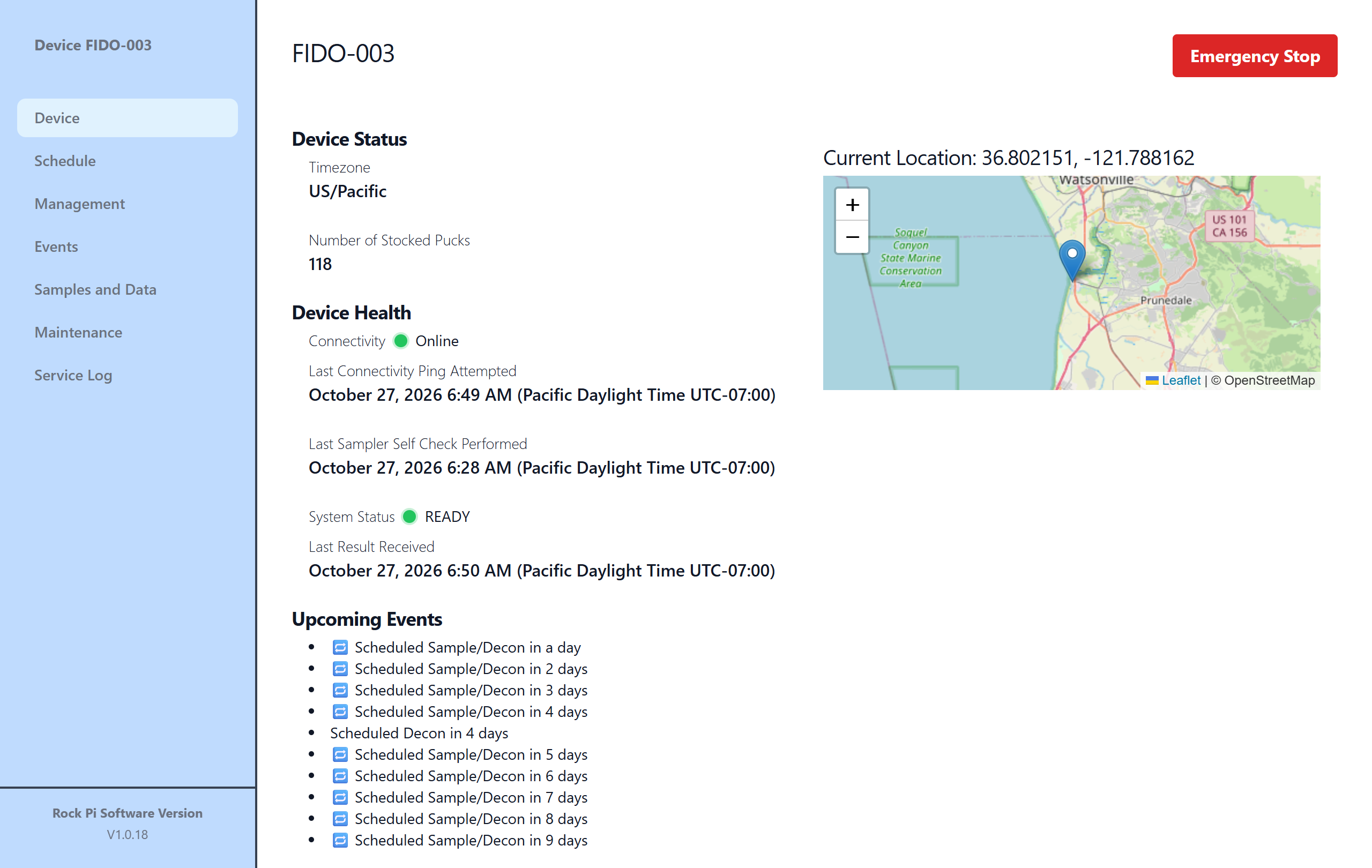
The home page for a FIDO: a quick look at whether it's healthy and what it will do next. Health items refresh by themselves every 15 seconds.
The red Emergency Stop button is at the top right. See When Something Goes Wrong.
Device Status
- Timezone
- The time zone used for every time shown for this device. Set on the Management page.
- Number of Stocked Pucks
- Unused pucks the sampler counted at the last restock, less those used since.
Device Health
- Connectivity
- Online (green) if the controller has checked in within the last 5 minutes. Offline · Nm ago (red) otherwise. Unknown (grey) if it has never checked in.
- Last Connectivity Ping Received / Attempted
- When the controller last reached the cloud. In the cloud this is "Received". On the local interface it's "Attempted", the last time the controller tried to reach the cloud.
- Last Sampler Self Check Performed
- When the sampler last ran its self check.
- System Status
-
The result the sampler reported last:
Shown Meaning 🟢 READY Idle and ready to sample 🟢 MANUAL The last manual command finished successfully 🔴 ERROR The last operation failed. See When Something Goes Wrong ⚪ Unknown or other No result yet, or a state not listed here - Last Result Received
- When that result was reported.
Upcoming Events
The next scheduled samples or decontaminations, with how long until each one. "No Events Scheduled" if there are none. Remember they run only while Scheduled Events is enabled on the Management page.
Current Location
The latitude and longitude set on the Management page, shown on a map.