Schedule
Side menu → Schedule**
A calendar of this FIDO's scheduled actions, shown in the device's time zone (the button next to the arrows shows which). For a step-by-step guide, see Schedule Sampling.
The calendar
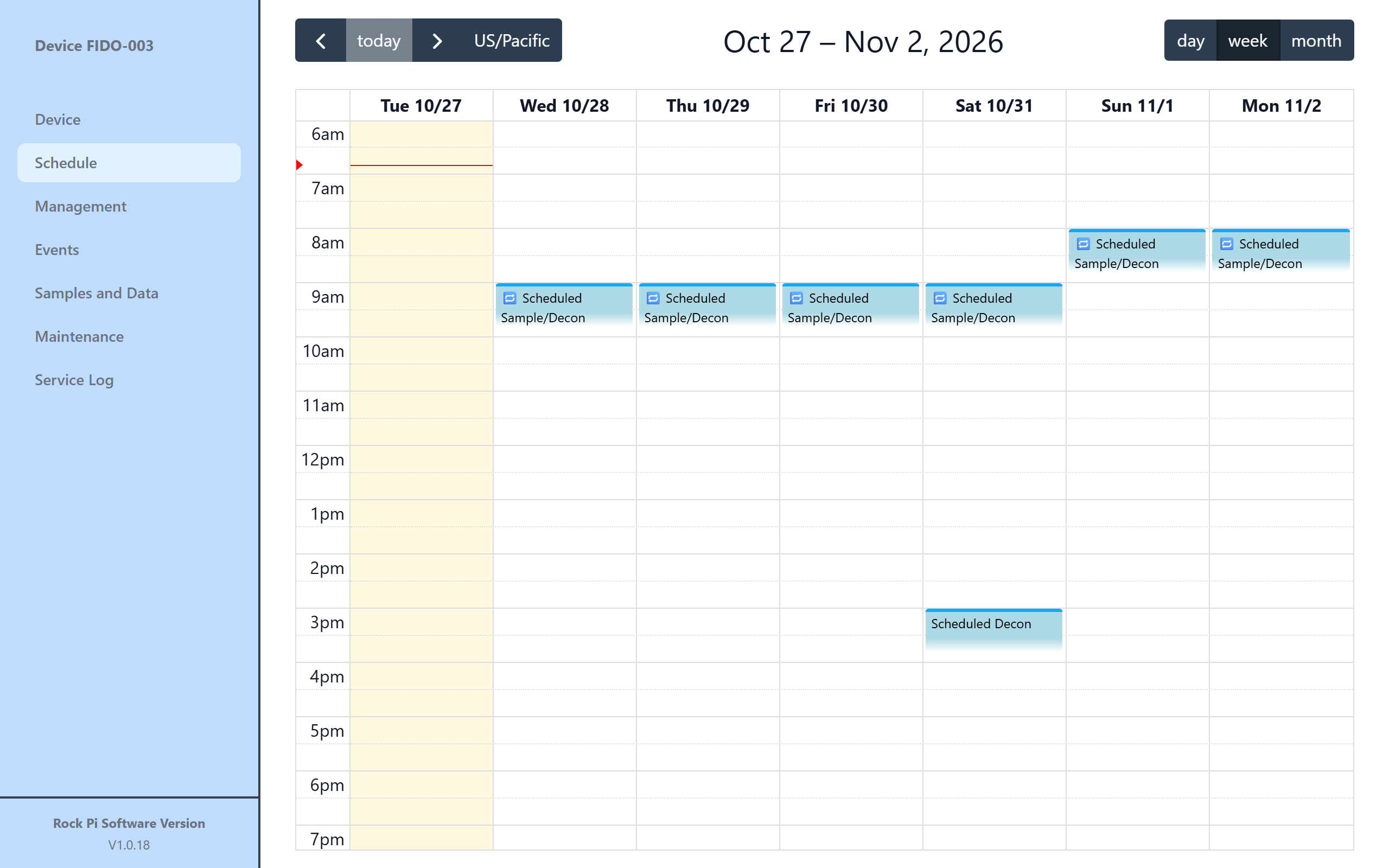
- ‹ today › moves backward and forward. day, week and month change the view. The current time is marked with a line.
- Upcoming events and past events are shown in different colors. Past events are a record of what ran and can't be edited.
- Click an empty time to add an event. Click an upcoming event to edit it.
The event dialog
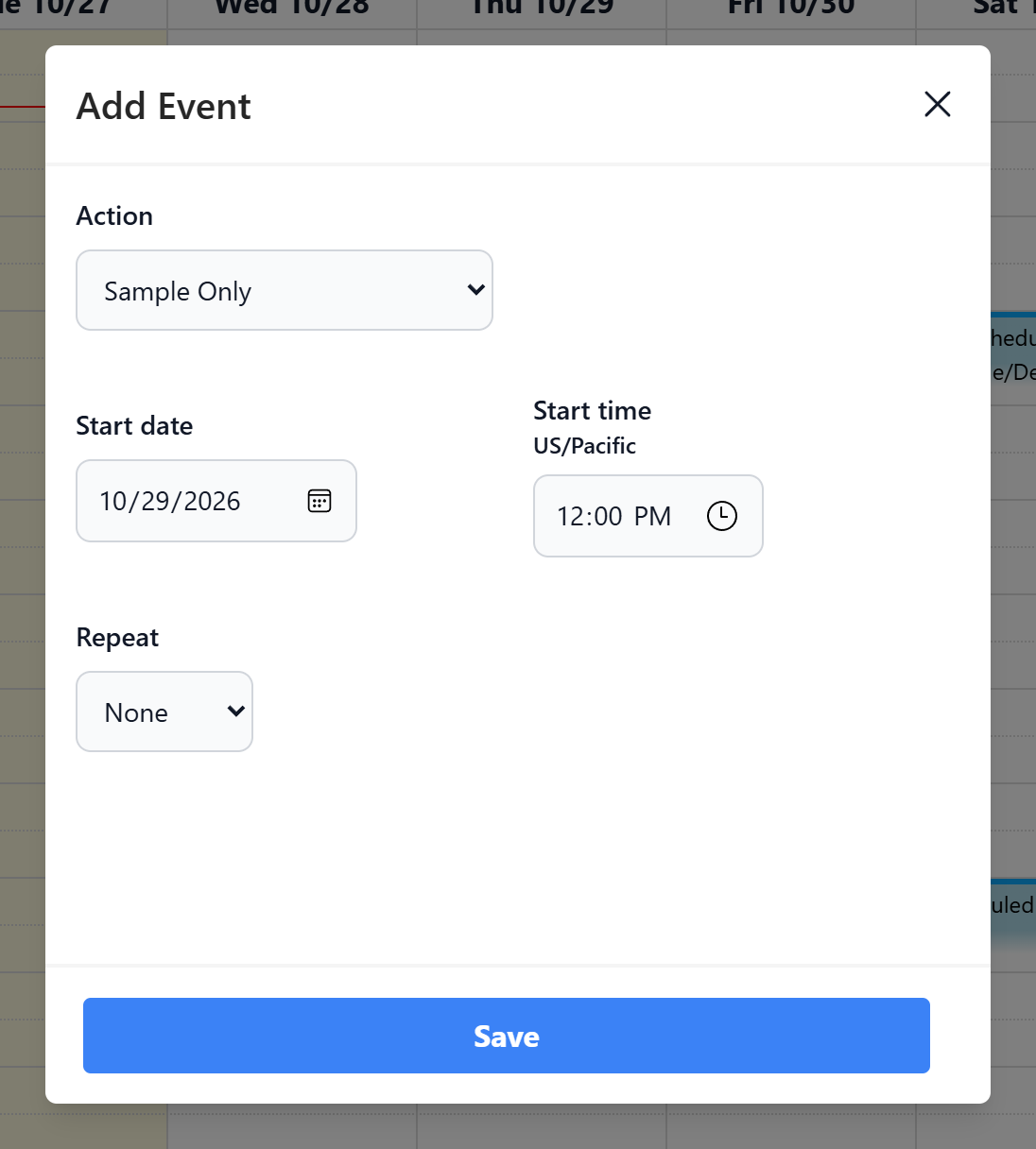
| Field | Choices |
|---|---|
| Action | Sample Only, Sample, then Decontaminate, Decontaminate only |
| Start date / Start time | Date and time of the first run, in the device's time zone |
| Repeat | None; Daily (every N days); Weekly (tick the days); Monthly (the 1st – 28th of each month) |
| End After | For repeating events: the last date to run |
Buttons: Save, and Delete when editing an existing event. The button shows Processing... while the change is sent to the device.
Important
Scheduled events run only while Scheduled Events → Enabled is ticked on the Management page.