SMS event notifications
Note
In early June 2026 we started preparations to allow indicating phone numbers as direct destination for notifications using SMS.
Updated documentation is pending, but the workflow for adding or editing destinations in dash4 (since 4.99.32) is the same as before, just with a new option to specify either an email address or a phone number.
Changing carrier based email to phone number
Using Dash4 you can proceed as follows to change your current carrier based email address to a proper phone number:
-
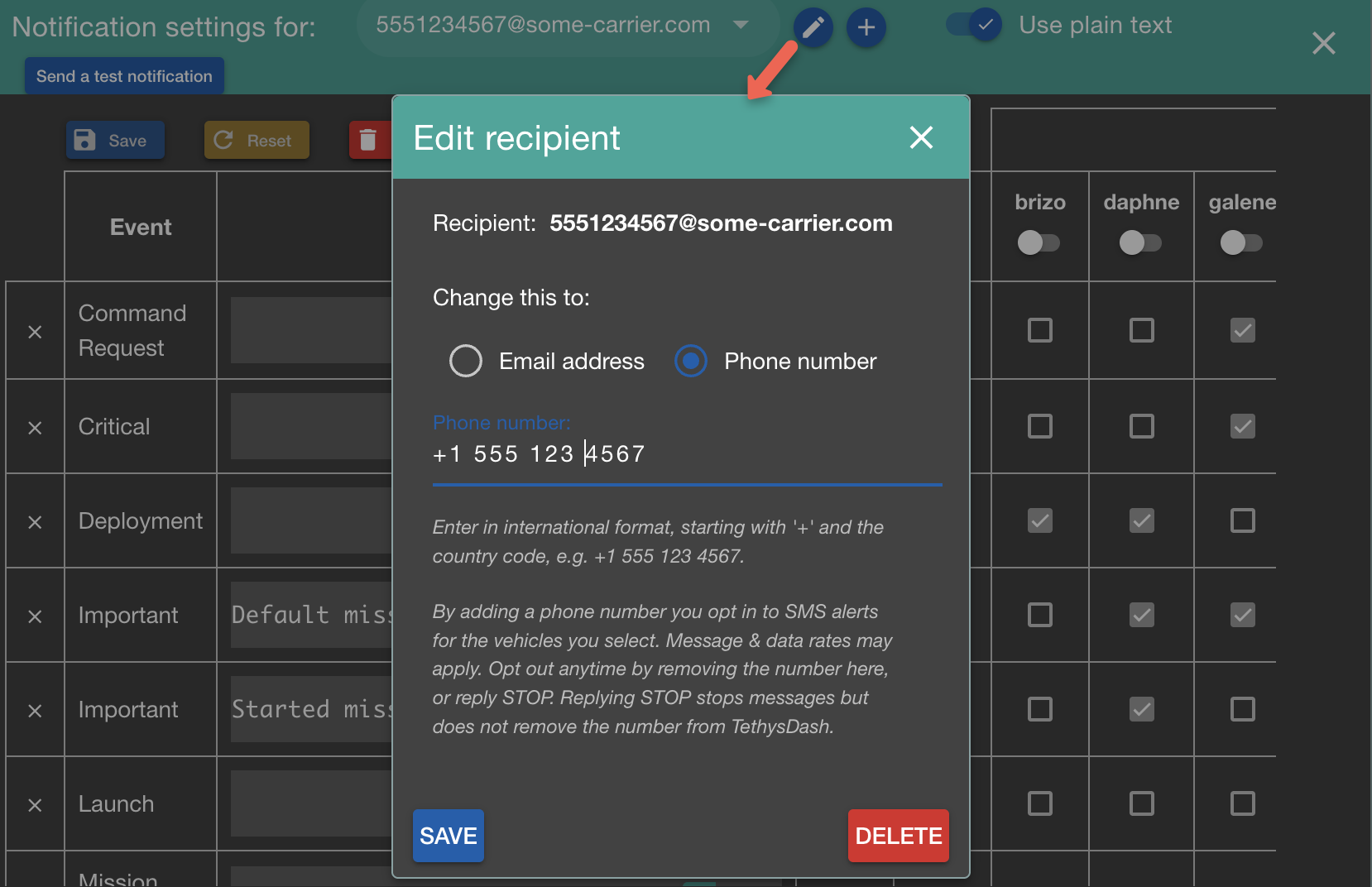
In the notification settings dialog, select the carrier based email address, click the pencil button, select 'Phone number', and enter your number:
-
Click Save and send a test notification to verify reception on your phone.
Adding a phone number
- In the notification settings dialog,
click the
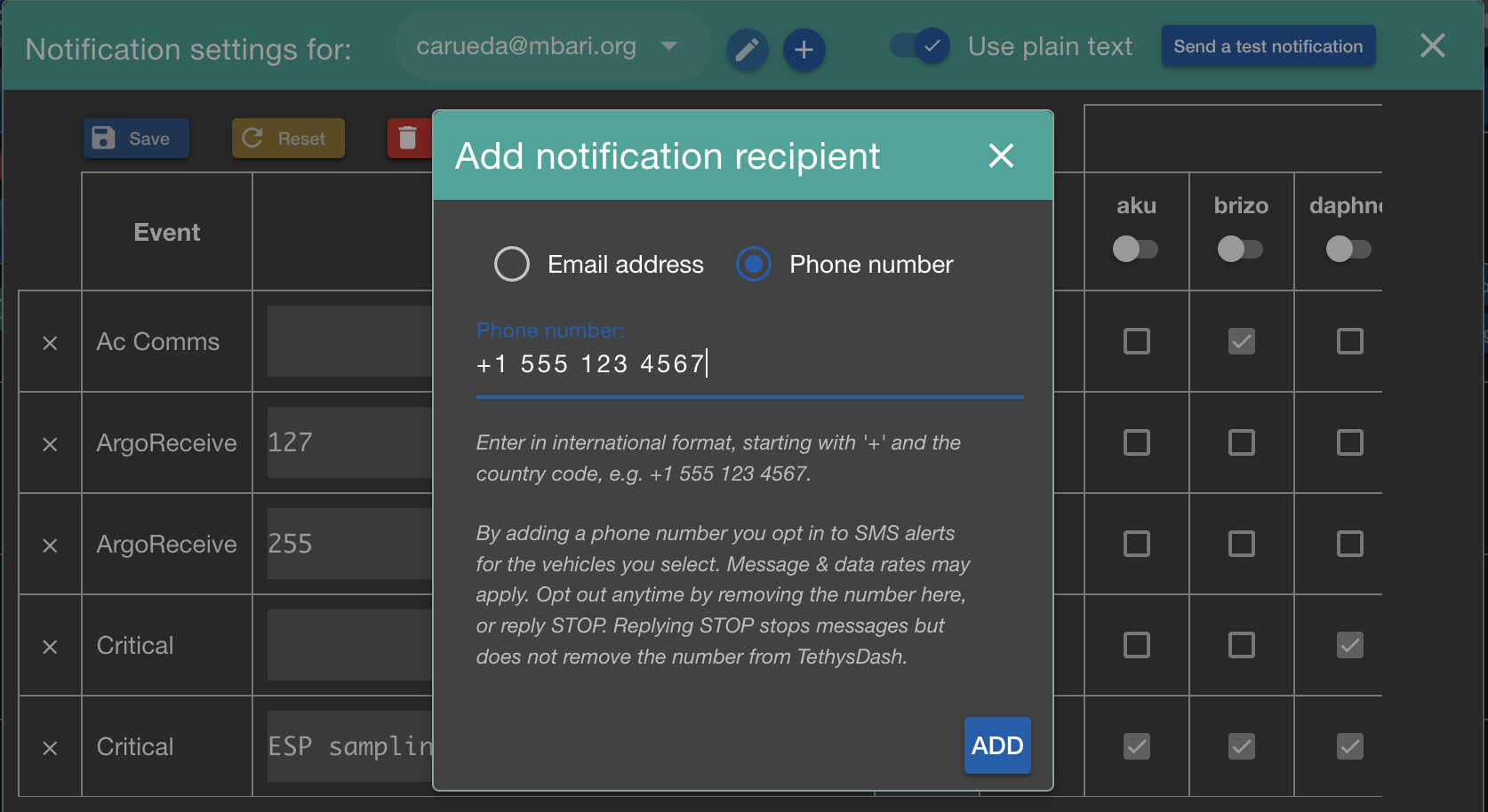
+button, select 'Phone number', and enter your number:
- Click Save and send a test notification to verify reception on your phone.
Opting back in after replying STOP
Replying STOP to a notification text blocks all further SMS from TethysDash.
To cut down on notifications, adjust your notification settings instead.
To receive SMS again, two steps are needed, in this order:
- Text
START(orUNSTOP) to the number the notifications come from. Only you can do this: your carrier enforces the opt-out, and no admin action can lift it. You should get a confirmation reply. - Ask an admin to remove your number from the AWS opt-out list, which also records the
STOPand is not cleared bySTART.
Then send yourself a test notification to verify reception.
For admins
In AWS End User Messaging SMS, find the origination number's opt-out list
(typically Default) and remove the number from it:
aws pinpoint-sms-voice-v2 describe-opted-out-numbers --region us-west-2 \
  --opt-out-list-name Default --opted-out-numbers +1XXXXXXXXXX

aws pinpoint-sms-voice-v2 delete-opted-out-number --region us-west-2 \
  --opt-out-list-name Default --opted-out-number +1XXXXXXXXXX
While the number is on that list, the TethysDash log shows the refused
notifications as opted out (DESTINATION_PHONE_NUMBER_OPTED_OUT).